

Streamline Marketing with Admation: Projects & Approvals
Automate and manage the creative process from brief to asset, with project planning templates, feature-rich workflow and collaborative tools with online proofing and review. Collate feedback and compare revisions. Manage the resource planning of people, skills, schedules and tasks and prepare for what’s ahead.

Create Strong Briefs
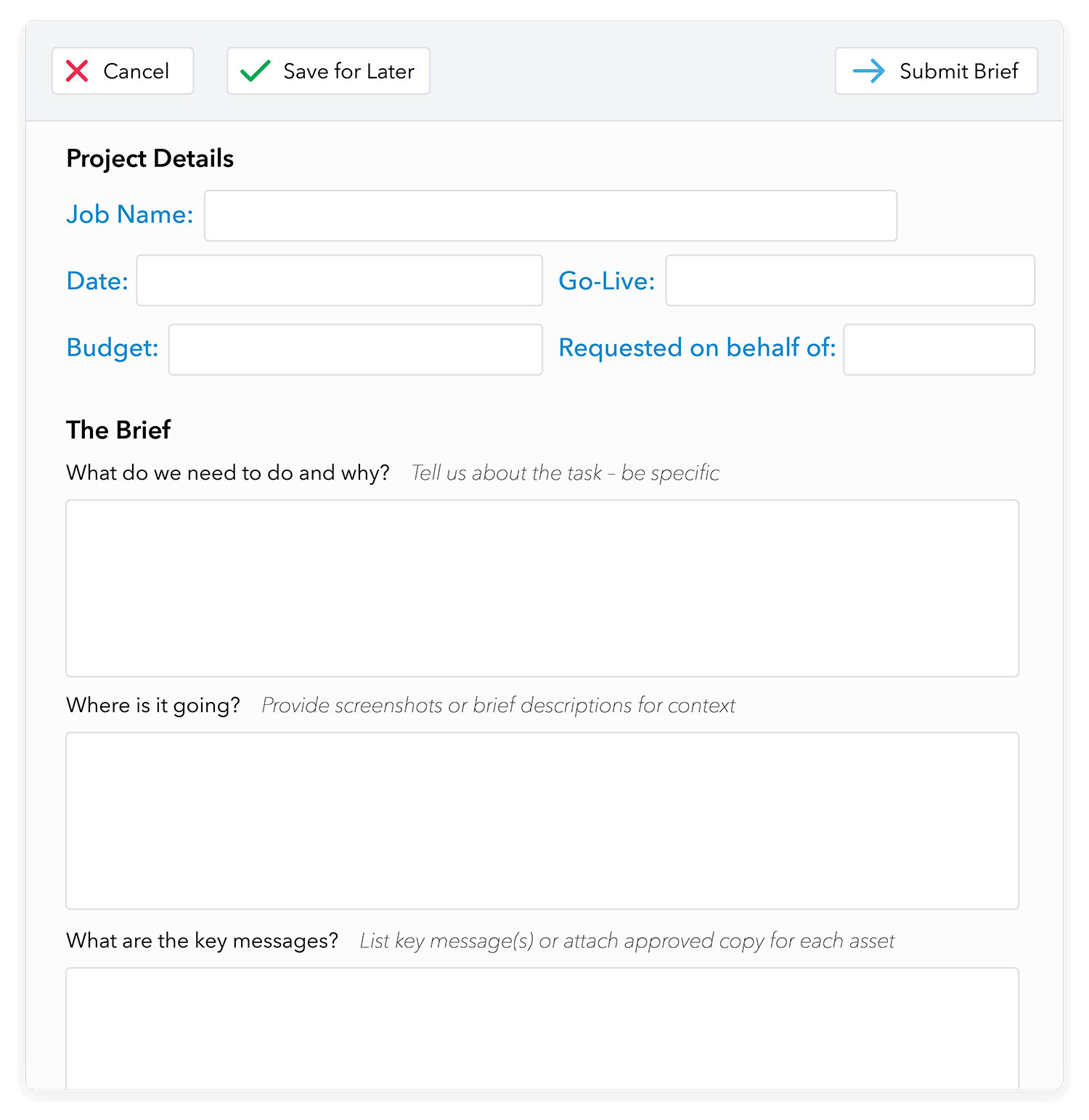
Create detailed template-driven briefs, define deliverables, assign tasks, deadlines and budgets. Document information in a consistent format every time.
Simplify the workflow
Break down the project into manageable parts with a simple workflow, easy online collaboration and optimal touchpoints. Control it with high process visibility.
Manage Resources
Optimise your resource use with scheduling and task manager templates. Monitor performance with time tracking tools and plan future resources with accuracy.
Our Customers




Project Planning: Provide Detail and Clarity
- Create clear, detailed project briefs with online templates.
- Set up templates once and use across other projects.
- Assemble teams, assign tasks, budgets and deadlines.
- Include rich detail via Deliverables Manager so teams can deliver on-target.
- Add external agencies to the project to keep all communication on board.
Workflow Management: Control the Creative Process
- Define the workflow by setting permissions, access to task and assets
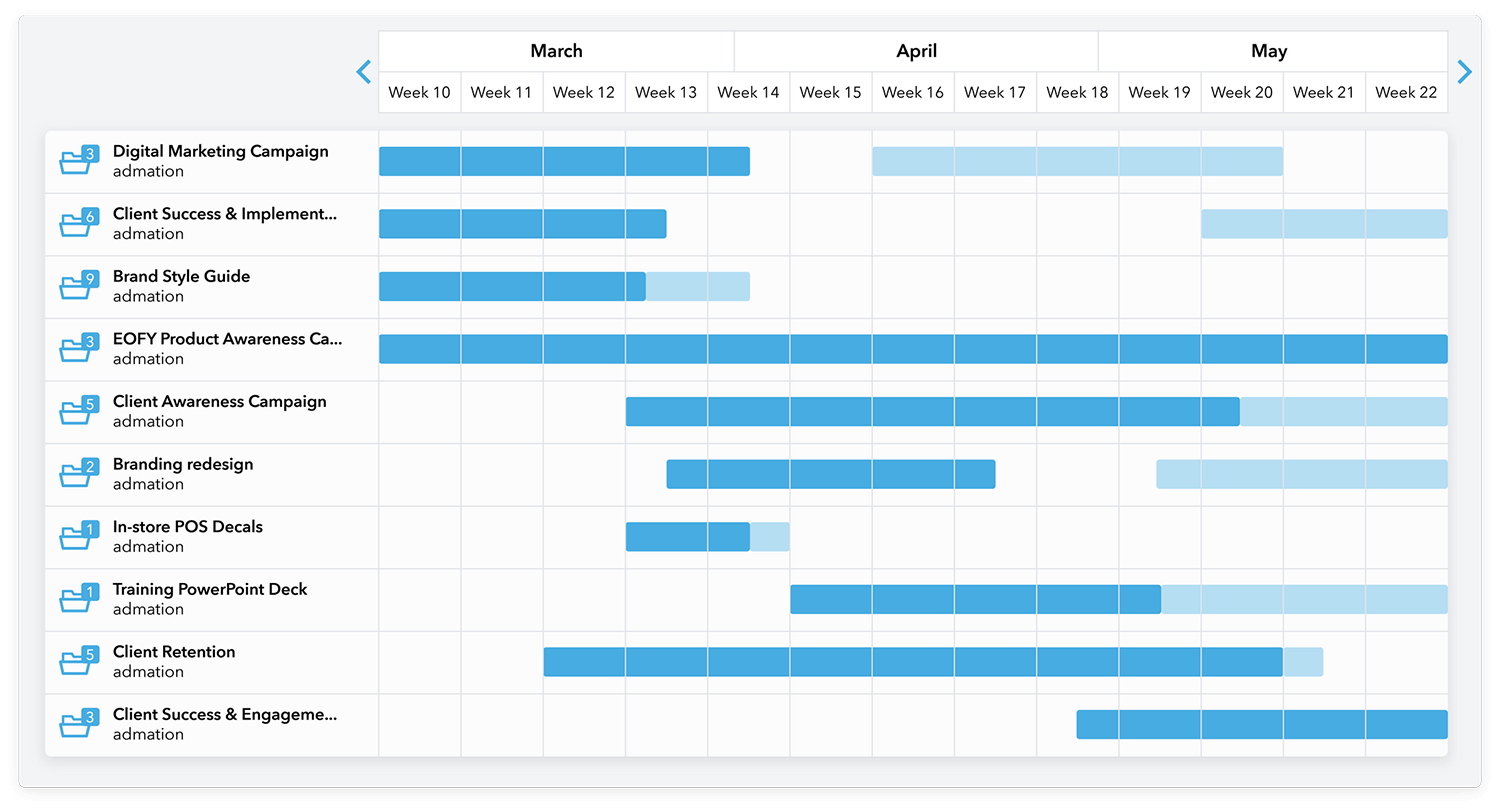
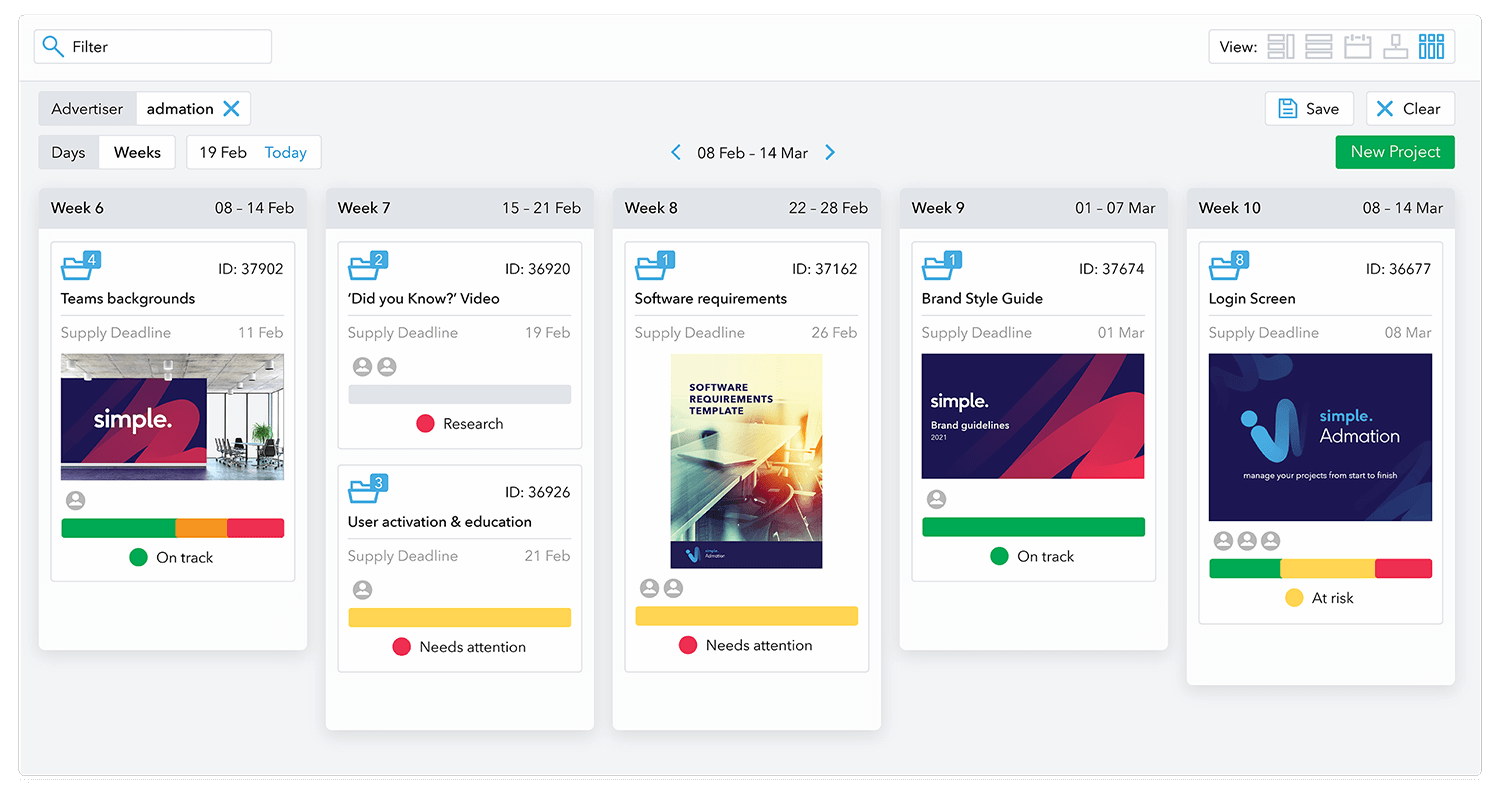
- Get a complete view of the schedule with the marketing calendar.
- Reduce touchpoints by streamlining the review process.
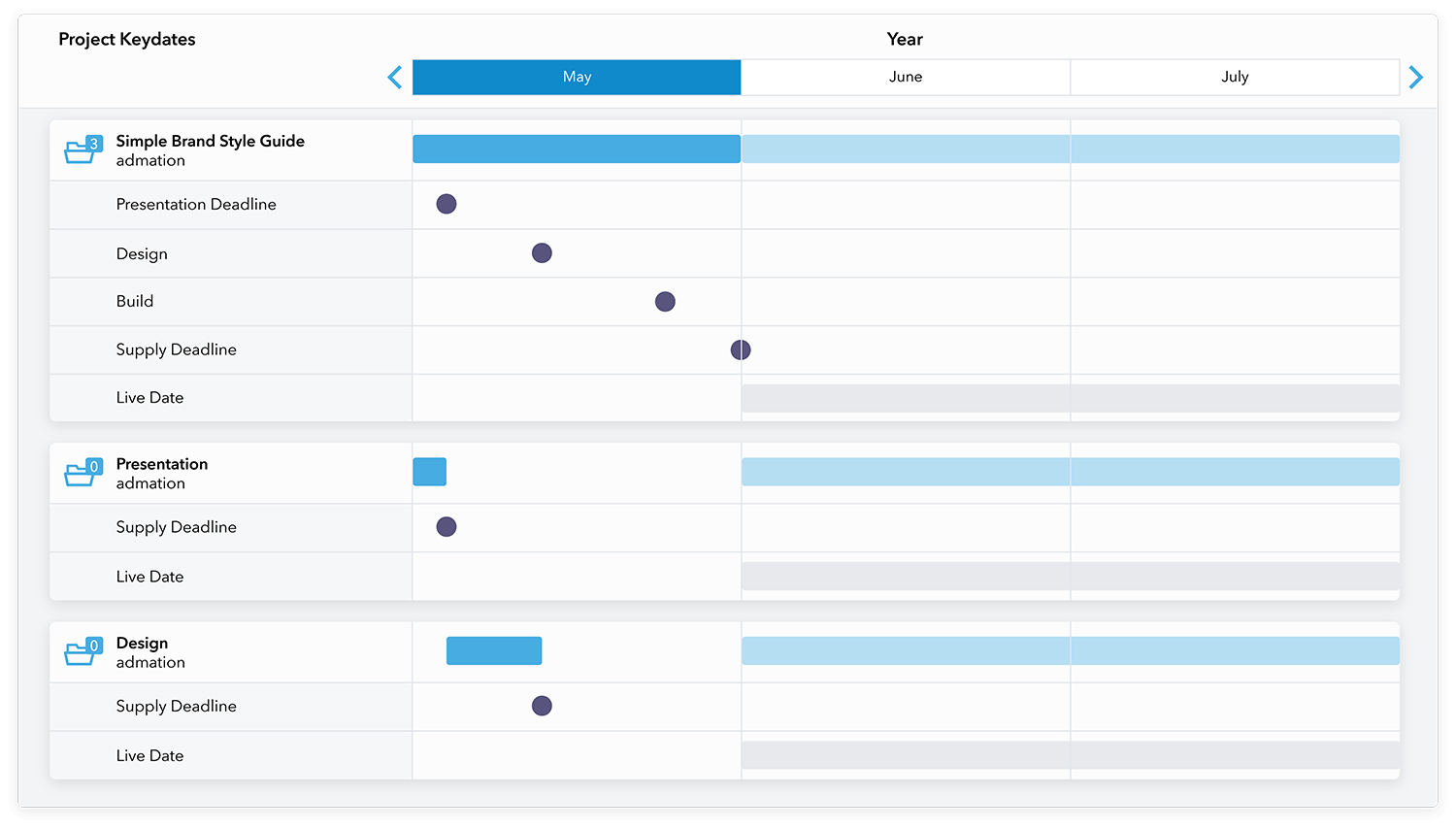
- Set deadlines and reminders to keep projects on target.
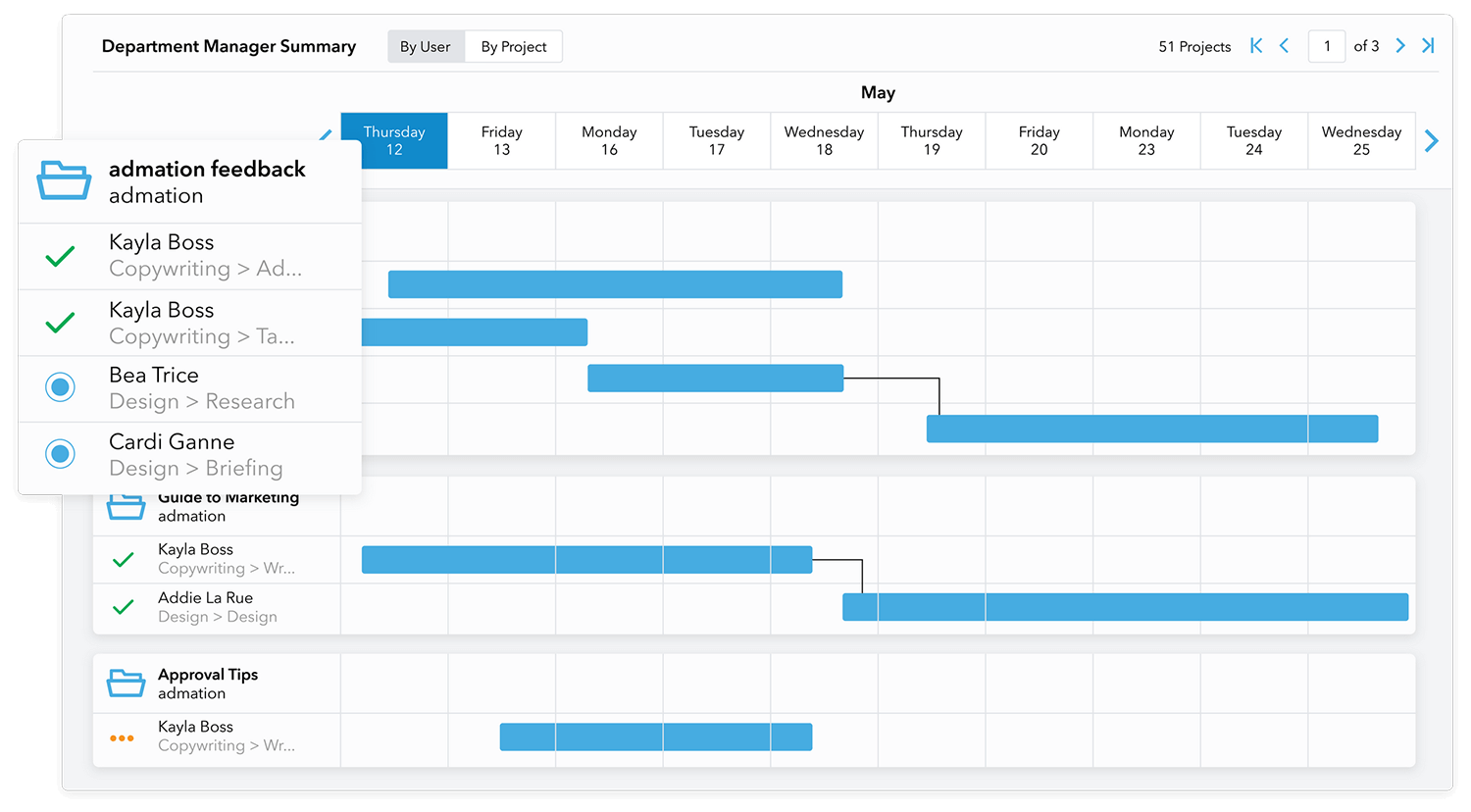
- View project progress, resources, budgets on personalised dashboards.
Collaboration: Efficient, Streamlined Teamwork
- Edit and proof with markup toolkit for quick revision.
- Compare revisions and collate feedback on a single screen.
- Version control and audit trails for reference and compliance.
- Easy batch approval and forwarding for reviewers.
- Include external agencies in the approval process.


Resource Planning: Stay Informed
- Optimise resource use across projects with automated scheduler.
- Assign and re-assign tasks with ease.
- Maximise productivity with Task Manager and Time Tracker
- Plan for skills requirements for future projects.
- Make, assign and monitor budgets for various projects.
Marketing Compliance: Tick Every Box
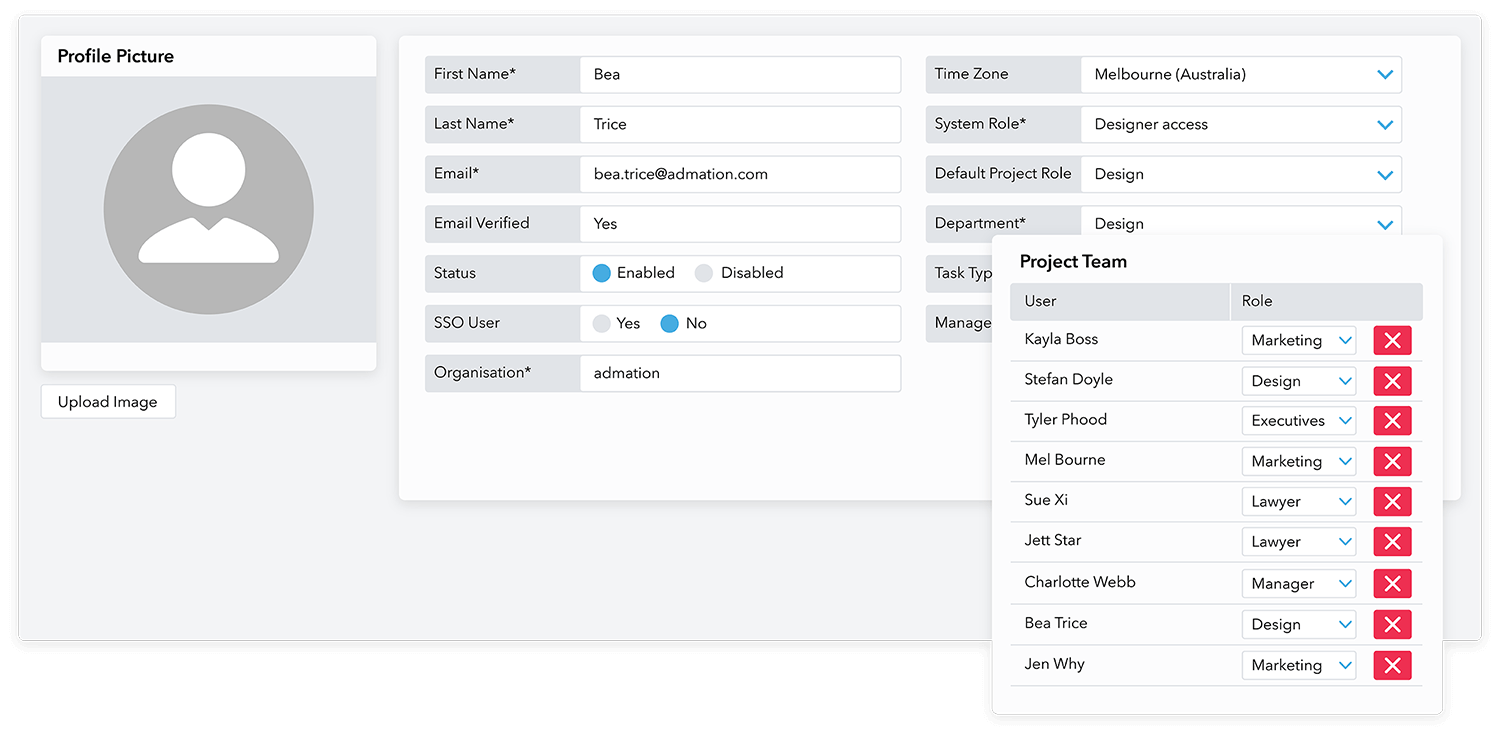
- Create checklists for projects and approvals.
- Define roles and permissions to view assets and approvals.
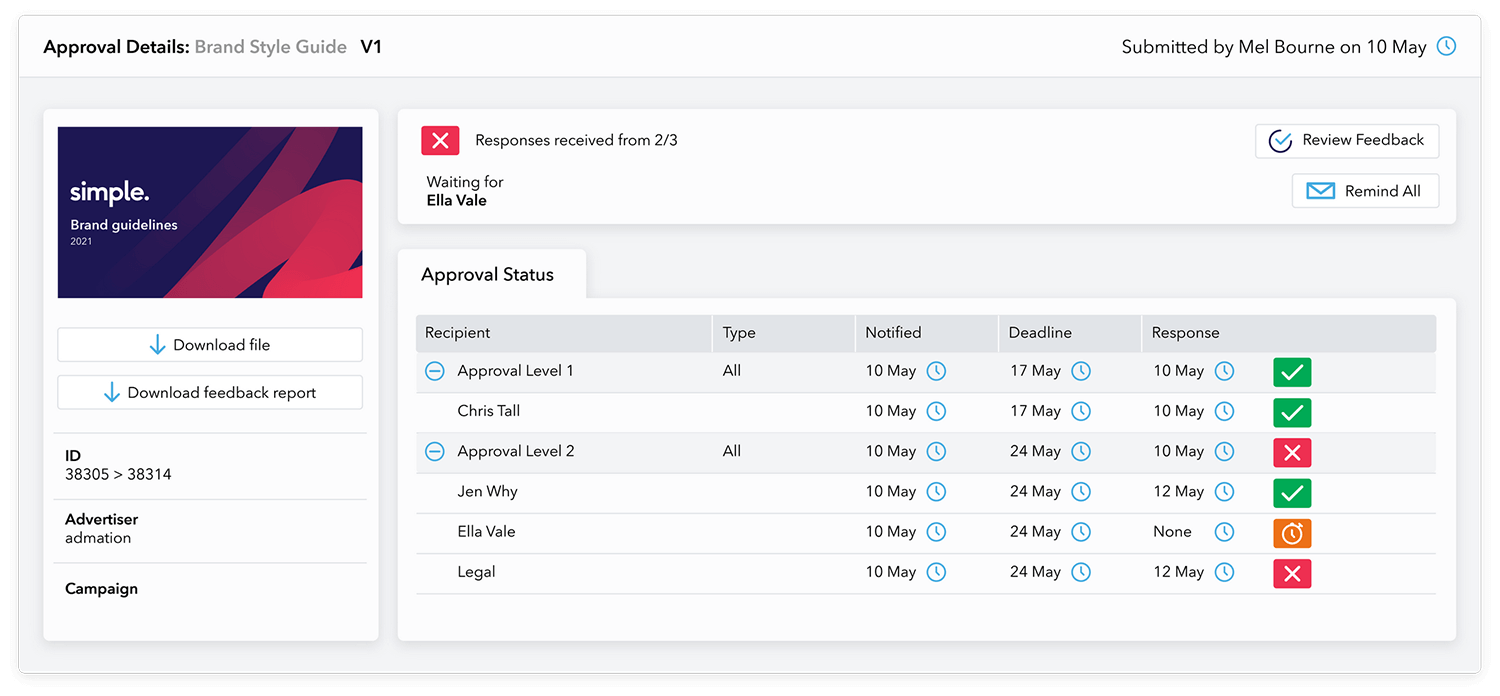
- Create multi-level and sequenced approval pathways.
- Automate audit trail for quick and easy reference for compliance
- Easily access collated feedback and comments.
Approvals: Mitigate Risk
- Create a templated approvals checklist.
- Add reviewers and approvers at the right stage of the workflow.
- View status, edit approvers, send approval reminders, set deadlines.
- Use locks and permissions to control access to approval documents.
- Save time with batch approval and forwarding.


Reports: Insights at Your Fingertips
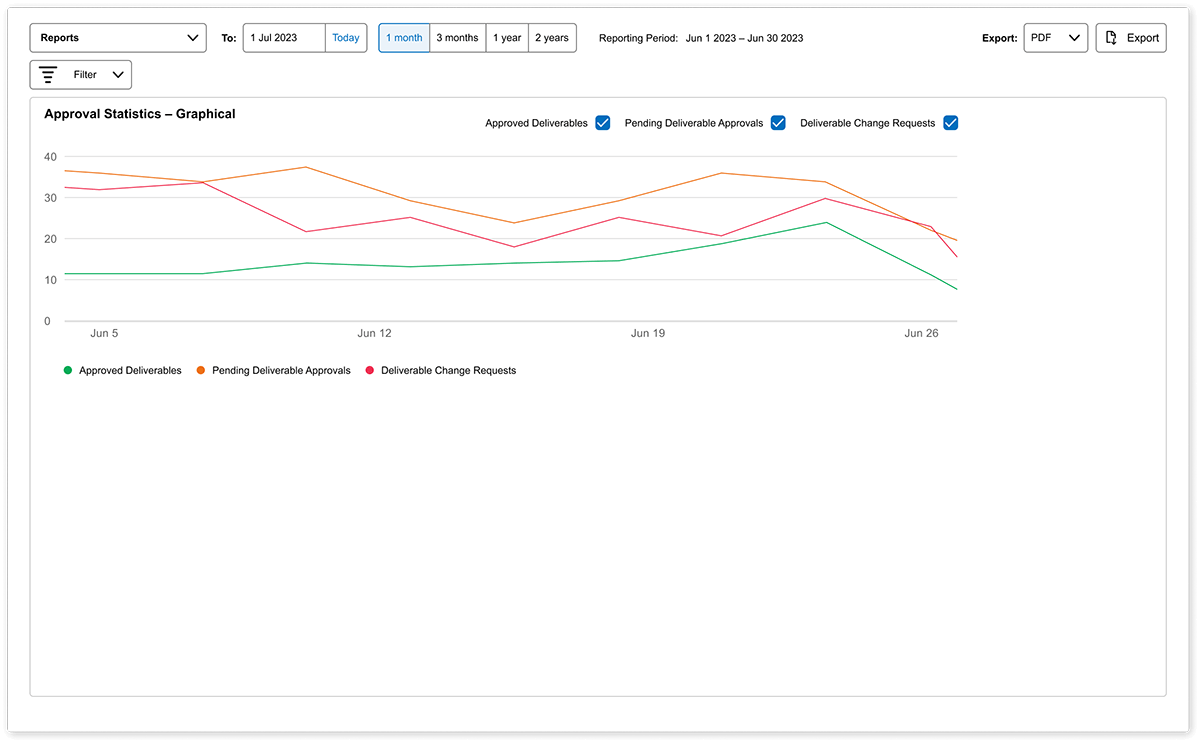
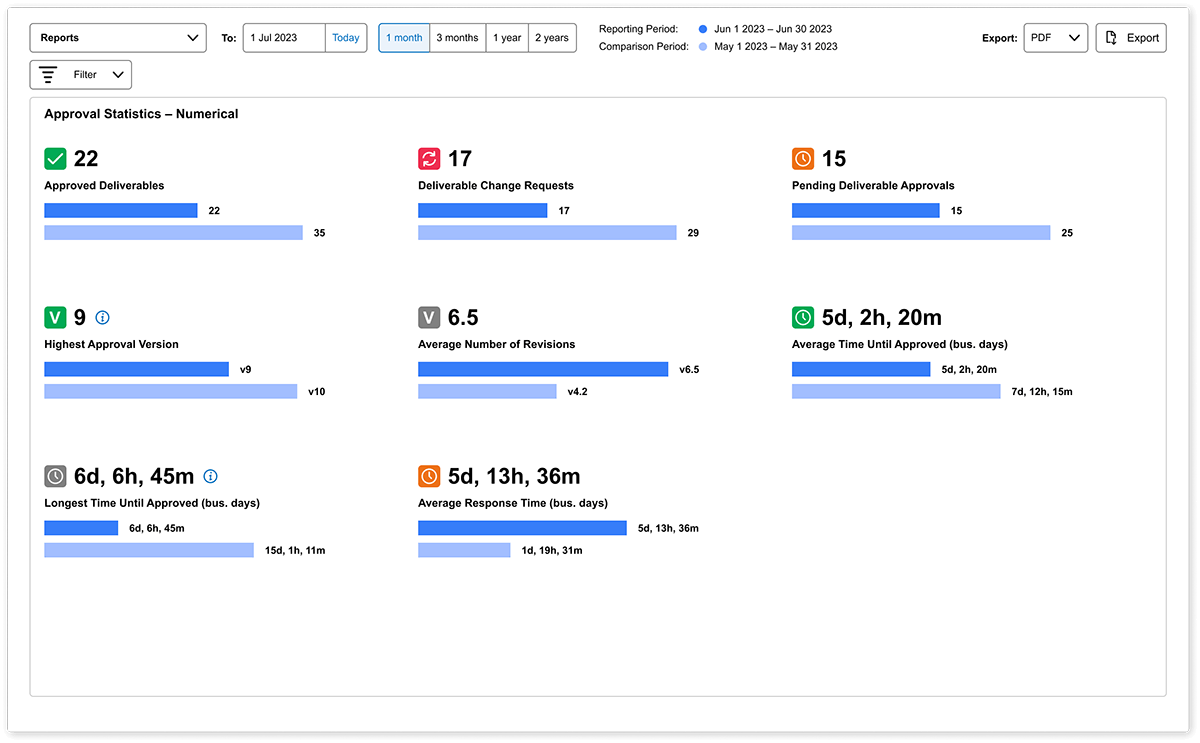
- Gain insights into ongoing projects, approvals, and resource usage.
- Simplify data interpretation with Dashboard Charts, eliminating spreadsheet complexity.
- Identify and analyze trends and patterns in current and past data for informed decisions.
- Improve project management and resource allocation.
- Enhance efficiency in decision-making.
Admation – Features
Online Briefs & Templates
Online briefing templates ensure the right information is captured at the start of a creative project. Customise briefs for the business as well as job types. Learn more about Online Briefs and Templates

Audit Trail
Admation creates an automatic audit trail of work to track how your teams produce artwork. Great for marketing compliance. Learn more about Audit Trails

Compare Revisions
Review artwork versions side-by-side including all comments and markups. The review and feedback process has never been easier. Learn more about Comparing Revisions
Version Control
The software’s user-friendly interface and collaborative features provide unprecedented visibility over feedback and approvals with an automated version control. Learn more about Version Control

Online Proofing Tools
Access a complete set of tools to review, comment and markup artwork and media files including video and html files. Reduce artwork revisions with clearly communicated change requests. Learn more about Online Proofing Tools

Approval Checklists
Customised checklists ensures that reviewers complete a series of checks before content can be approved. Learn more about Approval Checklists

Approval Templates
Standardise tiered approvals, reduce errors and streamline marketing compliance. Learn more about Approval Templates

MS Word Approvals
Review, comment, mark up and approve changes to Microsoft Word documents without downloading the document or leaving Admation. Track all comments and change requests on the Change report and Stay compliant. Learn more about MS Word Approvals

Adaptive Approval Tools
On Hold, Act on Behalf and Reserve — help teams manage workflow interruptions, assign ownership and keep marketing projects progressing with clarity, compliance and control. Learn more about Adaptive Approval Tools

Batch Review and Approval
Streamlining the review and approval process, seamlessly incorporating online proofing tools, and eliminating duplication of tasks. Learn more about Batch Review and Approval

Managing Feedback
Combine stakeholder feedback, remove duplication and deliver clear change requests. Learn more about Managing Feedback

Custom Reporting
Custom reports and Gantt charts provide greater visibility and control on how projects and approvals are tracking and provide valuable insights into ROI. Learn more about WIP Reporting

Marketing Calendar
Keep track of project milestones and deadlines in one visual calendar. Have visibility and control by using filters to search and narrow down your views. Learn more about Marketing Calendar

Key Dates
Manage project timelines and approval deadlines with integrated reminders that keep marketing work on track. Learn more about Key Dates

Re-Run Project
Duplicate approved assets, retain metadata, update deliverables and push campaigns live faster — with full compliance, control and version accuracy. Learn more about Re-Running a Project

Ad Storage & Asset Sharing
Store, search and share approved marketing assets securely. Access production files, control usage and distribute assets with full audit trails. Learn more about Ad Storage & Asset Sharing

Finalise Deliverables
Apply confidentiality, expiry, and storage rules to keep projects clean and ensure compliant asset management. Learn more about Finalising Deliverables

Review Video and Websites
Review HTML files, videos and motion assets. Annotate snapshots, track feedback and streamline online approvals. Learn more about Reviewing Videos and Websites

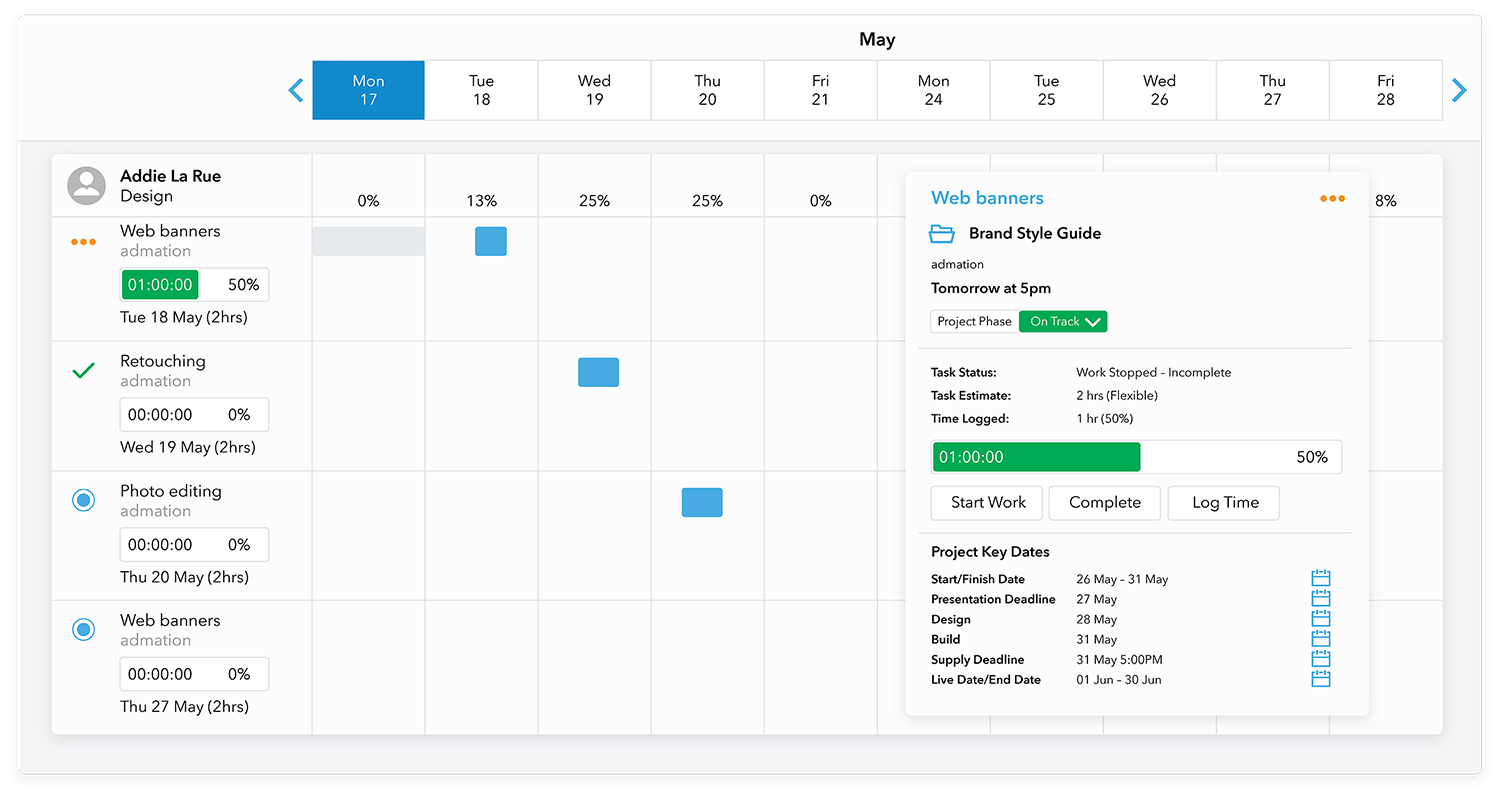
Assign Tasks
Have full visibility over a resource’s workload before allocating work, then just a few clicks to allocate a task to the right resource. Learn more about Assigning Tasks

Timesheets and Time Tracking
Track time spent on tasks and projects. Get more accurate resource estimation and gain valuable insights for future marketing project budgets. Learn more about Timesheets


See Simple Admation in Action.
Book an interactive Product Tour.

Frequently Asked Questions
What is Simple Admation?
Admation is a marketing project management and approval workflow solution that helps ad agencies and marketing teams manage their creative projects. It offers a single end-to-end solution to manage project briefing, documentation, workflows, review and feedback, online proofing and approvals, team collaboration, task and resource allocation. It has a DAM for management of brand and digital assets.
Simple’s Admation cuts across the entire marketing project process, streamlining processes, helping create strong, well-defined, template-driven briefs, simplifying and enabling collaboration. It has a powerful approval process that gives managers peace of mind knowing every asset that hits the market has been reviewed and correctly approved by stakeholders, so they can take their brand to the market confidently.
Simply put, Admation is a marketing project management software that manages campaigns start to finish.
Who uses Simple Admation?
Admation can be used by any business, across any industry, whether it is a small marketing team, ad agency or a full enterprise operation. Every business has different challenges. So we’ve built Admation to be a highly-configurable software, which can be customised to deal with any scale and level of complexity. It can be fine-tuned to deliver efficiencies and scale for any industry, market and type of operation, whether you are an SME, a large global corporation or a department within it.
Marketing Project Management software such as Admation is crucial for marketing teams working in highly regulated industries. They have to safeguard brand value, and so they need a high visibility process, but they also need build a culture of compliance from within, with strong approval workflow and accountability processes.
What challenges does Simple Admation solve?
By centralising digital workflow of creative assets, Simple Admation makes the process visible, manageable and compliant. In doing so, it solves some of the biggest challenges in marketing project management:
- Visibility over projects: If you can’t see it, you can’t fix it or control it. Marketing projects are naturally chaotic and traditional tools like spreadsheets and emails are simply not up to the task. By using Admation, managers can have visibility over the asset creation process, streamlining it, reducing touchpoints and driving efficiency. More important, they can keep their eye on the big picture – timelines, project status, resource utilisation, budgets and more, all with personalised visual dashboards.
- Inconsistent briefs: Marketing projects come in many shapes and sizes. That results in briefs being very different in the level of description and detail, impacting the quality of deliverables and marketing outcomes. Admation’s online templated brief building tools result in a strong start with a well-defined requirement and consistency of details. Features like inherited form fields, saved templates etc., drive speed and efficiency.
- Resource management: In a digitally accelerated world, speed is competitive advantage. That means making sure the right resources are available when needed. With the ability to see schedules, project status and budgets, managers know who is working on what and can allocate resources precisely. No more missed deadlines or budget blowouts.
- Approval workflow: With the spotlight on compliance, getting the right approvals without creating delays can be a slippery slope. A marketing approval workflow software like Admation solves this by creating a stringent multi-level approval process that ensures the asset is reviewed and approved at the right time. It makes the reviewers task easy by providing them with collated feedback, contextual information, risk calculators and checklists to help them make the right decision, every time.
What are the benefits of using Simple Admation?
- Create high-quality projects briefs: Admation’s online briefing forms allow users to create a project brief with customizable templates. Mandatory fields eliminate repetitive work, regardless of the type of campaign. This ensures that the right information is captured upfront.
- Stay on track: With Admation’s deadlines and reminders feature, you can set up project review and approval deadlines which are visible to all stakeholders to ensure that they deliver their feedback and approvals on time.
- Marketing approval workflow: Admation’s approvals pathway and checklist feature makes managing the marketing approval process easy. Approvals can be routed through a dedicated pathway. Stakeholders are prompted for feedback once a deliverable has been completed. They can use checklists for review, feedback and approval. Admation’s transparent system makes feedback and comments visible to all approved users which means that conflicting changes can be picked up early.
- Easy collaboration: Creating assets is all about teamwork. Without the right tools and processes it can result in confusion, reworks and delays. Admation’s on board collaborative tools combined with structured workflow, results in minimal touchpoints. Online editing and proofing tools lets reviewers markup changes and feedback, so there is complete clarity. Version control and audit trails record when and who made changes.
- Resource management: Admation’s personalised dashboards can display who is working on what, when tasks are due and their current status. Resources can be allocated more precisely and optimally. Team members can see the tasks they are assigned on their dashboards and are able to plan their time better.
- Digital asset management: Once assets are created, they need to be managed well. Admation provides a structure for approved assets to be organised, tagged, modified, repurposed and used. It sets permissions, manages licences and terms of use. It provides data on what is being used, by whom. Good digital asset management allows brand managers to extract the most out of their creative assets.