

Brand Manager: Your Brand Identity, Always Consistent – Always Current
Turns static brand guidelines into a live, accessible hub. Simple Brand Manager gives every team, agency and partner instant access to approved logos, colours, typography and brand guidelines — so your brand stays consistent across every channel, market and touchpoint.

One Hub
All brand guidelines, assets and identity elements in one centralised, always-updated location.
Controlled Access
Permission-based access so every team uses the right assets, every time.
Brand Governance
Approval workflows and audit trails that protect brand integrity at scale.

Our Customers





Brand Hub: Every Brand Element, Live and Up to Date
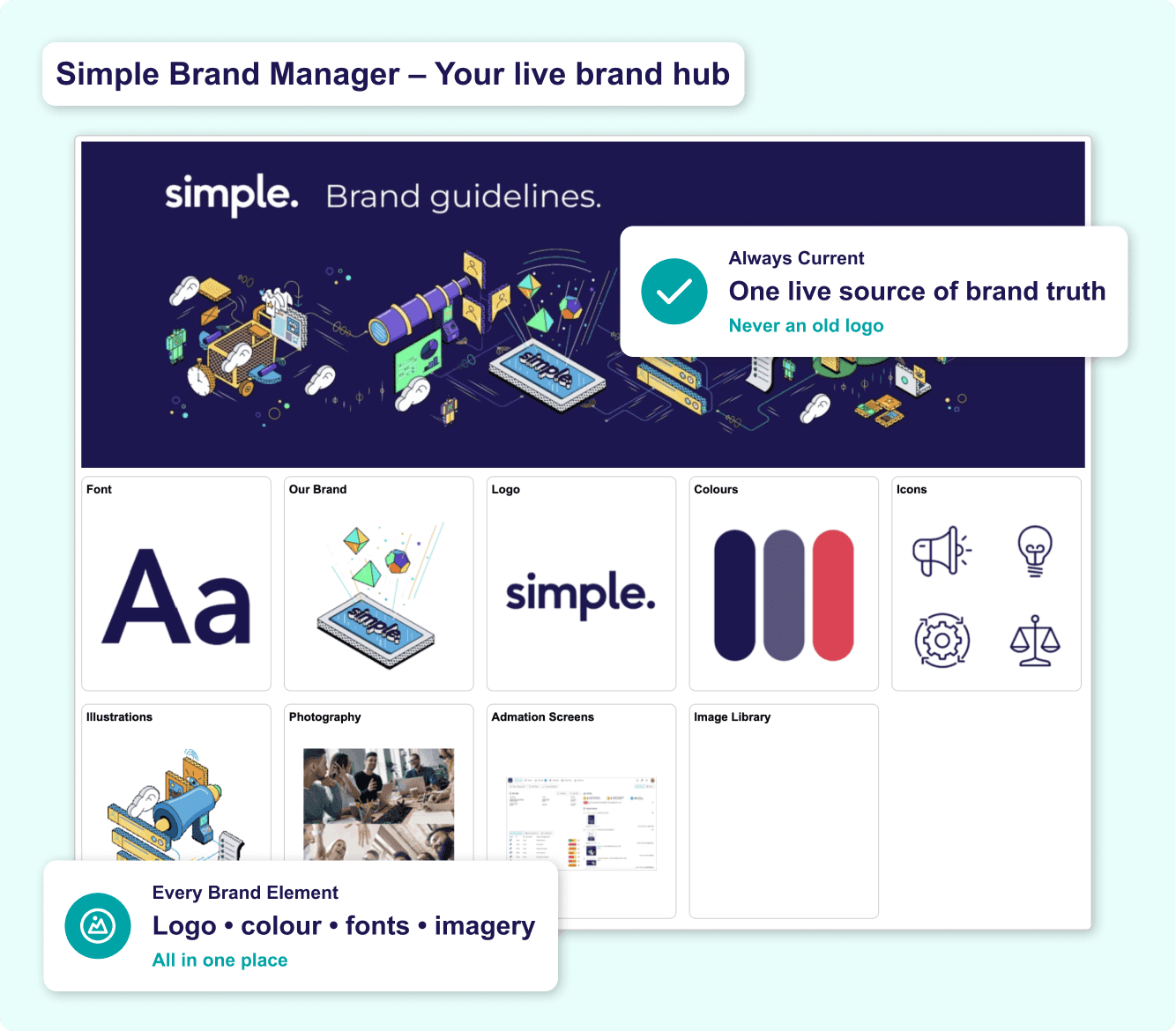
Outdated brand guidelines in a PDF no one can find is how brand inconsistency starts. Simple Brand Manager replaces static documents with a living, structured brand hub — always updated, always the version teams should actually be using.
• Centralised brand home page — logos, colours, typography, templates and imagery rules in one hub.
• All logo variations and formats with clear usage rules — teams download the right file without asking.
• Colour values defined in HEX, RGB, PMS and CMYK — no more off-brand colours from memory.
• Typography rules, approved fonts and usage guidelines — consistent across every asset.
• Icon sets, illustration guidelines and imagery principles alongside identity elements.
• Update guidelines once — every team sees the current version immediately.
Explore how Simple Brand Manager supports brand management across teams and markets, or read our guide on keeping your brand consistent across teams and markets.
Access & Permissions: The Right People, the Right Assets
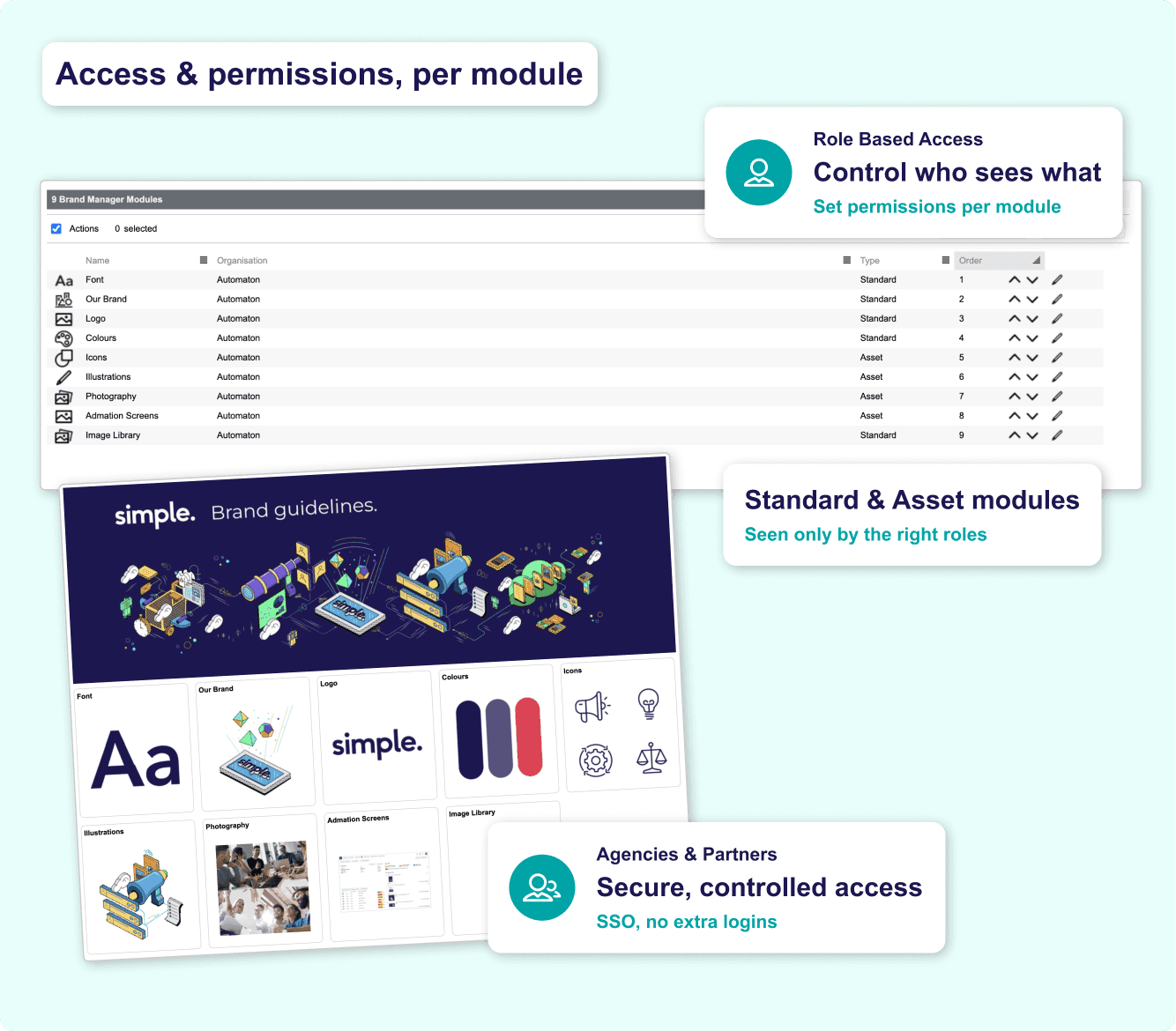
Brand inconsistency often starts with the wrong person downloading the wrong file. Simple Brand Manager's permission-based access system ensures every user — internal team, agency or vendor — can only access the brand materials they are authorised to use.
• Role-based permissions — control who can view, download, edit or share specific brand assets.
• Agencies and partners get secure, controlled access — without exposure to sensitive materials.
• Self-serve access so teams find and download approved brand materials instantly.
• Restrict access to unreleased brand refreshes, acquisition assets or confidential materials.
• SSO integration for enterprise teams — role-based access without separate credentials.
• Fewer asset requests — brand managers spend less time fielding queries.
For organisations managing agency relationships, see how the ad and digital agency use case covers controlled brand asset access for agency partners.
Approvals & Compliance: Only Approved Brand Assets Leave the Hub
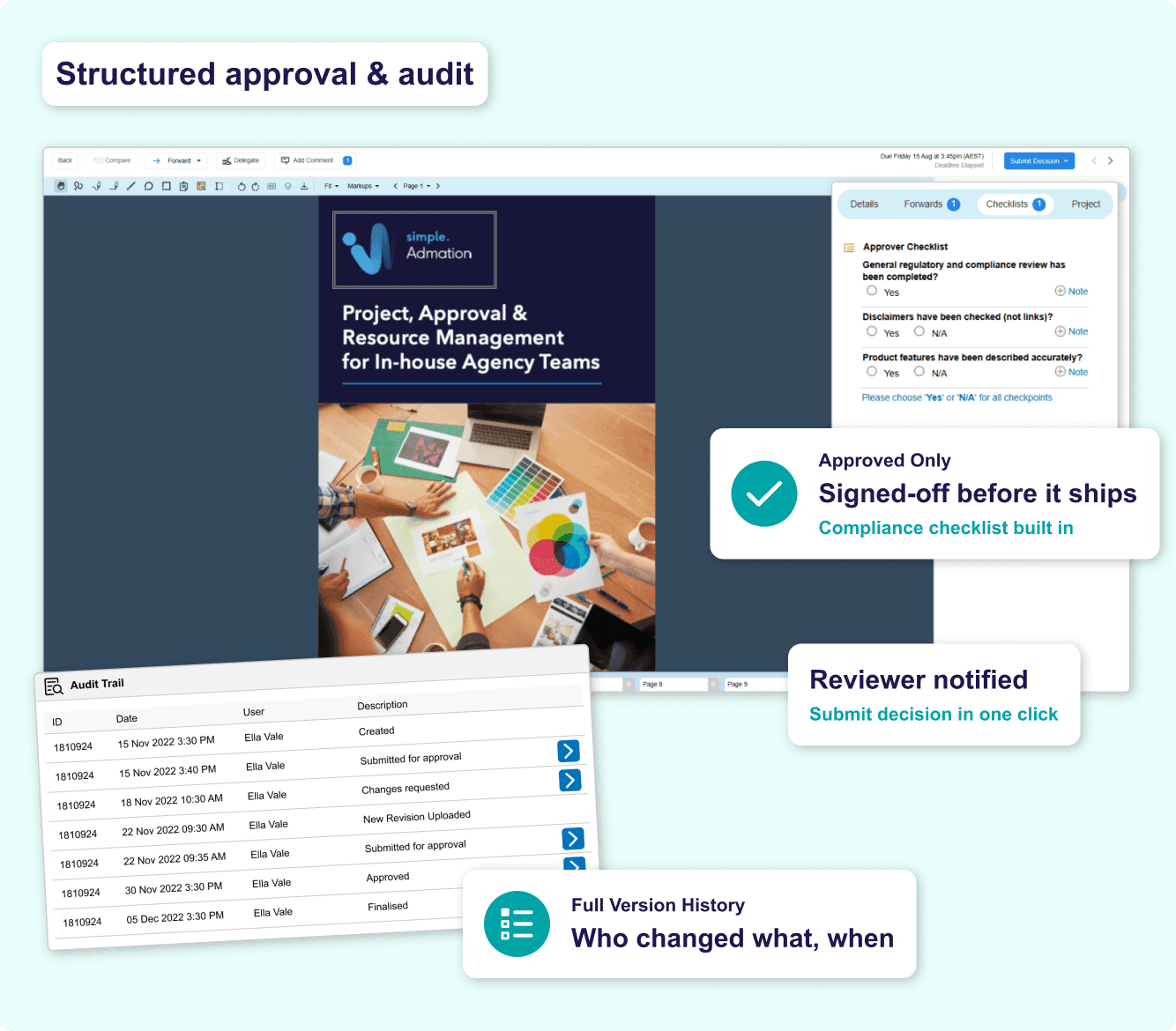
Brand governance breaks down when approvals are informal. Simple Brand Manager provides a structured approval workflow so any new asset, updated guideline or brand adaptation is reviewed and signed off before it is published or distributed.
• Structured approval workflows — every brand asset submission follows the same process.
• Automated approval routing — requests reach the right reviewers without manual forwarding.
• Track progress in real time — reviewers notified automatically, requesters see submission status.
• Automated audit trail records every access, download, modification and approval decision.
• Complete version history of brand guidelines — what changed, when, and who approved it.
• Automated reminders when assets near expiry or guidelines have been updated.
Learn how Brand Manager's approval features connect with Simple Admation for end-to-end campaign workflow, or explore the approval workflow software solution page for full capability detail.
Reporting & Insights: Understand How Your Brand Is Being Used
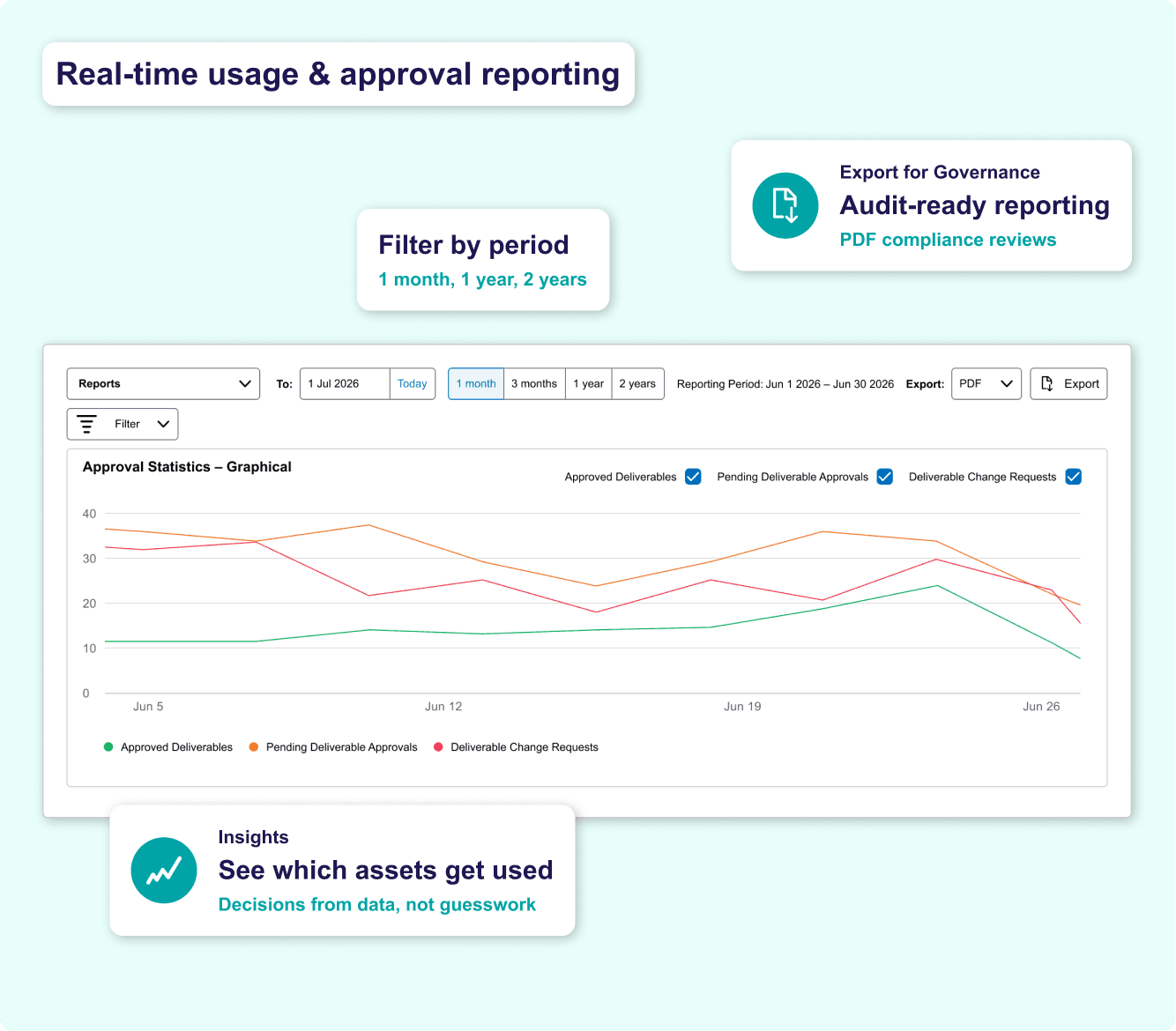
Brand managers need more than a repository — they need visibility. Simple Brand Manager's reporting tools show exactly which assets are being accessed, downloaded and used, so brand governance decisions are based on data rather than assumption.
• Real-time asset usage, approvals and download reporting — see which materials teams rely on most.
• Identify brand adoption gaps — where teams aren't using approved assets or guidance is unclear.
• Track approval performance — where requests stall and how quickly they are reviewed.
• Export reporting data for brand governance reviews, compliance audits or stakeholder reporting.
• Use usage data to inform the next guideline update — what teams need, not what you assume.
Download the Guide to Simple Brand Manager for a complete feature walkthrough and implementation guide.
Integration & Security: Brand Manager Within Your Workflow
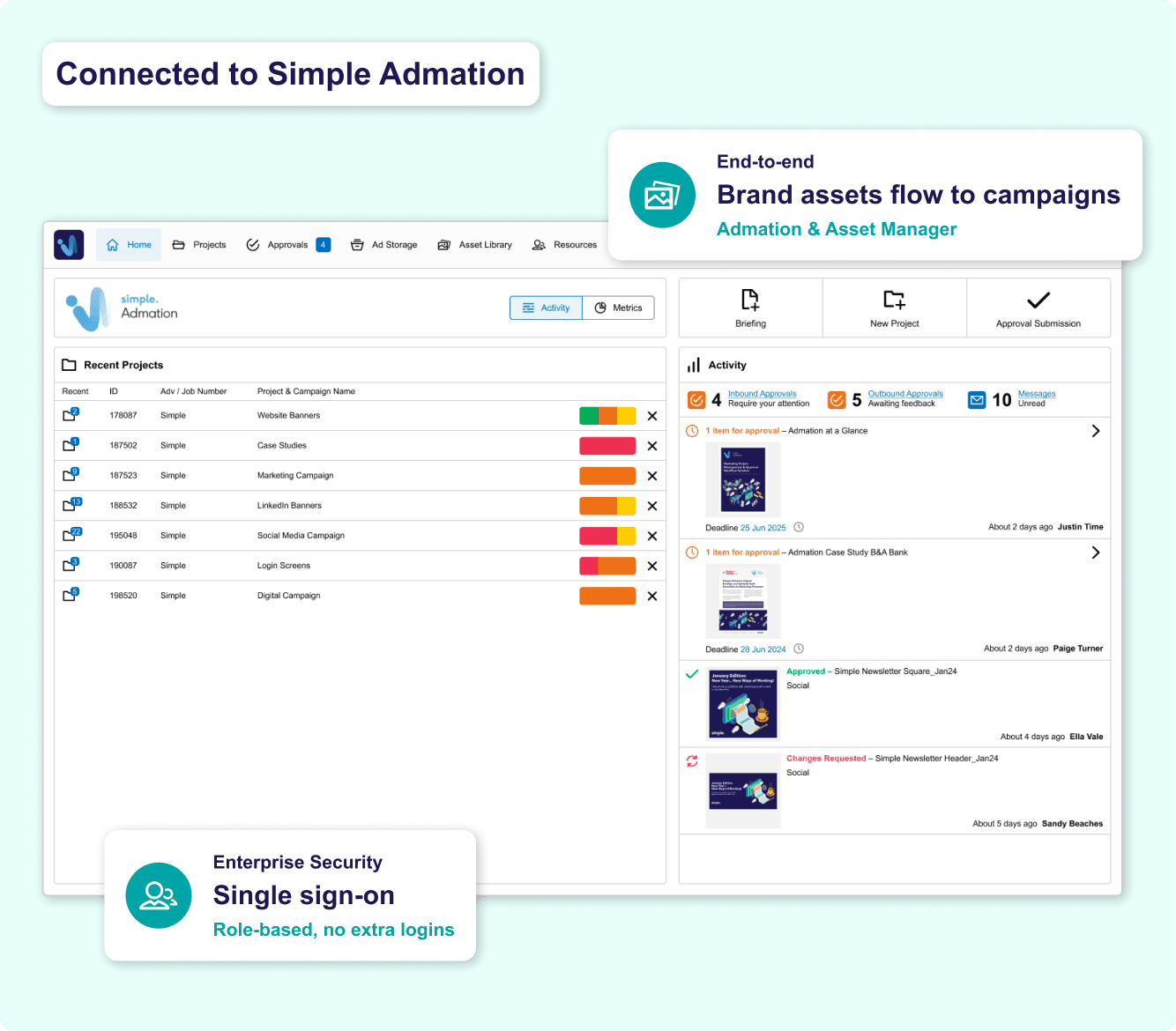
Brand Manager works as a standalone hub, but is most powerful when connected to the rest of your marketing operations. Working alongside Simple Admation creates a complete end-to-end workflow — from brand identity governance through to campaign production, approvals and compliance.
• Works with Simple Admation — approved brand assets flow into campaign workflows.
• Works with Simple Asset Manager — Brand Manager governs identity, Asset Manager manages campaign libraries.
• SSO keeps access secure — role-based authentication without extra credentials.
• Advanced permissions control access at every level — global teams to individual agency partners.
• Use standalone or alongside other Simple products — flexible to fit your existing technology stack.
See how the Simple suite works together — Simple Admation, Simple Asset Manager and Simple Retailpath — or explore brand management as a solution capability.
Frequently Asked Questions
What is Simple Brand Manager?
Simple Brand Manager is a centralised brand identity hub that gives every team, agency and partner access to your approved brand guidelines, assets and identity elements — always updated, always current. It stores and manages logos, colours, typography, icons, templates and brand guidelines in one structured platform. Brand managers control who can access what, and structured approval workflows ensure only authorised brand assets are published and distributed. It is designed for organisations that need to maintain brand consistency across multiple teams, agencies, markets or regions.
What is the difference between Simple Brand Manager and Simple Asset Manager?
Simple Brand Manager and Simple Asset Manager are separate products that serve complementary but distinct purposes. Simple Brand Manager is a brand identity and guidelines hub — focused specifically on storing and governing brand identity elements such as logos, colours, typography and brand guidelines, ensuring every team, agency and partner always uses the correct, current brand assets. Simple Asset Manager is a full digital asset management (DAM) platform — designed to store, manage, approve and distribute the broader range of marketing and campaign assets, including production files, images, video and creative collateral. In practice, many organisations use both: Brand Manager as the brand identity reference hub, and Asset Manager as the operational DAM for campaign assets, production files and distributed content. Both are designed to work alongside Simple Admation for end-to-end marketing workflow coverage.
Who uses Simple Brand Manager?
Simple Brand Manager is used by brand managers, marketing teams, CMOs, creative agencies and external partners — in any organisation that needs to maintain consistent brand identity across multiple users, teams or markets. It is particularly valuable for brand managers protecting brand integrity across internal and external stakeholders, agencies and vendors who need access to approved brand materials, and new employees who need to quickly understand brand standards. Customers include HESTA, Latitude Financial, NIB and Great Southern Bank. See how it applies in the banking and financial services context, where brand consistency and compliance standards are especially demanding.
Can Simple Brand Manager be used on its own, without Simple Admation?
Yes. Simple Brand Manager is a standalone product and does not require Simple Admation. Organisations that need a governed brand identity hub — but manage campaign production elsewhere — deploy it on its own, with its own approval workflows, permission controls, audit trail and reporting. It is most commonly paired with Simple Admation, which adds campaign project management and marketing approval workflow, so approved brand assets flow directly into production work. It can also run alongside Simple Asset Manager, where Brand Manager governs brand identity and Asset Manager handles the broader campaign asset library. Each product is licensed independently.
How long does it take to set up Simple Brand Manager?
Implementation time depends on how much brand material exists and how structured it already is. The main work is not technical — it is deciding the brand architecture, agreeing the permission model, and preparing assets for upload. Organisations arriving with current guidelines and organised logo files move considerably faster than those consolidating from shared drives and email archives. Typical deployments run within a couple of weeks from kick-off to first user access. SSO configuration is handled alongside setup and usually requires a short session with your IT team. Simple provides onboarding support throughout. Book a demo to discuss your timeline.
What are the benefits of using Simple Brand Manager?
Simple Brand Manager delivers six core benefits for brand and marketing teams. A single source of truth puts all logos, colours, typography, icons and guidelines in one centralised, always-updated hub — eliminating outdated PDFs and scattered files. Brand consistency at scale ensures every team, agency and partner accesses the same approved materials, reducing off-brand outputs across every touchpoint. Controlled access without bottlenecks lets teams self-serve approved assets through permission-based access, so brand managers retain control without becoming a bottleneck. Governed approvals ensure any new or updated brand asset is reviewed and signed off through structured approval workflows before distribution. A complete audit trail and compliance record covers every access, download and approval decision — supporting brand governance reviews and compliance reporting. And faster onboarding means new employees and agency partners access guidelines and approved assets from day one, without lengthy briefings.
What integrations does Simple Brand Manager support?
Simple Brand Manager integrates with Simple Admation as a connected module, so teams working on campaigns, briefs and approvals can access approved brand assets without leaving their project workspace. It also works alongside Simple Asset Manager, Simple’s full DAM platform, where Brand Manager governs brand identity and Asset Manager manages the operational campaign library. For enterprise authentication, Simple Brand Manager supports Single Sign-On (SSO), so users access the platform with their existing credentials and access is revoked automatically through normal offboarding. Brand assets download directly in standard formats — PNG, SVG, EPS and PDF — for use in any design or production tool.