
Marketing Resource Management Software for Marketing Teams
Too much work, uncertain capacity, and resource plans built on assumptions. Simple Admation gives marketing teams real-time visibility over who's working on what, how much capacity is available, and where workload imbalances are — connected to live campaign data so planning is proactive, not reactive.

Real-Time Workload Visibility
View every team member's current workload, task assignments, and capacity status in real time. Department dashboards show at a glance who has capacity and who's overloaded — before it becomes a delivery problem.
Plan Capacity Before Campaigns Start
Forecast workload against upcoming projects. Identify capacity gaps early, plan freelance support proactively, and allocate the right skills to the right campaigns before kick-off.
Resource Data Tied to Live Projects
Resource utilisation data connects directly to project timelines and tasks. When projects change, resource views update automatically — planning stays accurate.
Track Time, Measure Productivity
Built-in timers and online timesheets capture how time is being spent across projects. Compare planned versus actual effort against the estimate set for that project type, understand where hours go, and plan future capacity more accurately.
Our Customers





Department Visibility and Workload Management
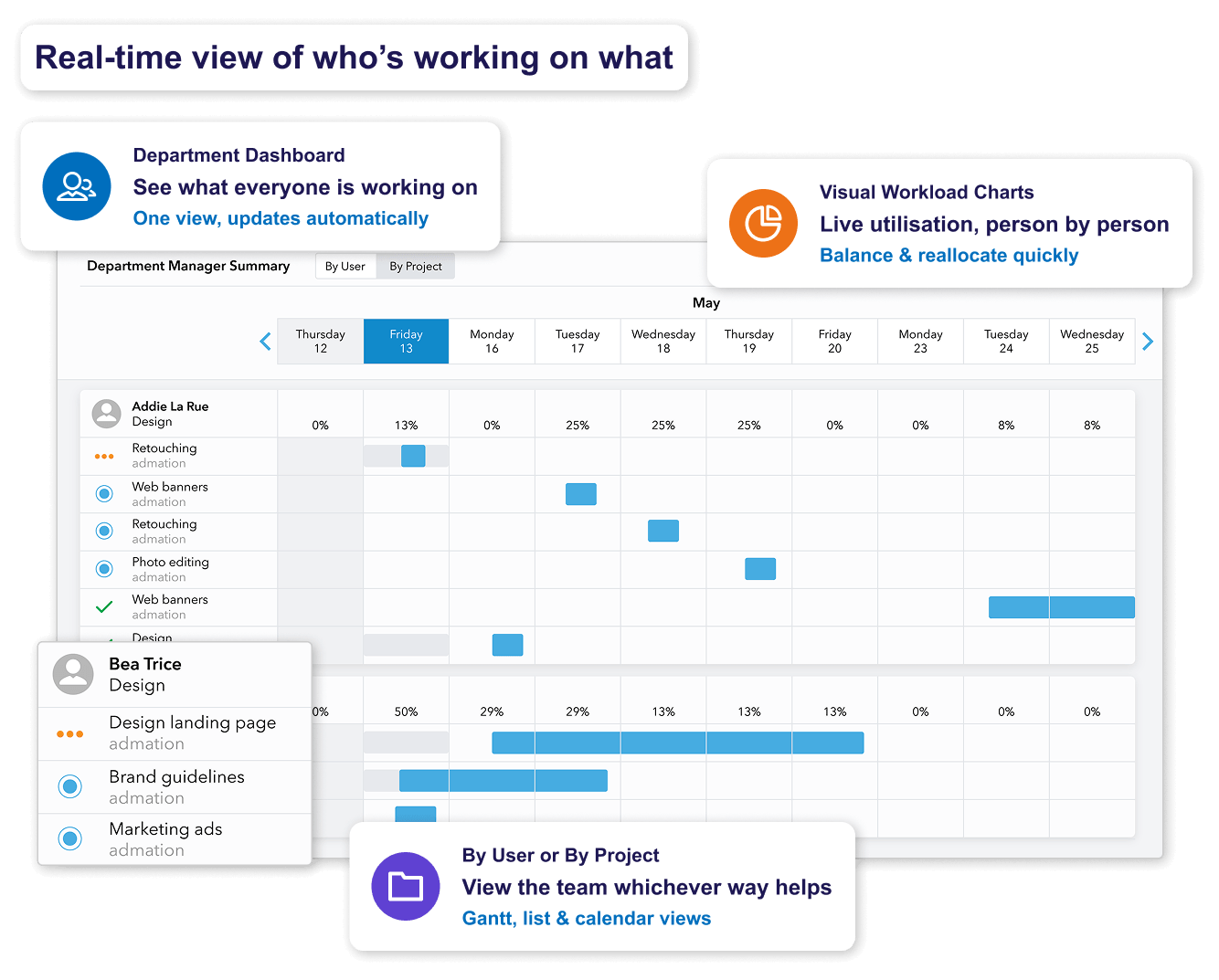
Understanding team workload in real time is the foundation of good resource management. Simple Admation's department-level views give managers the visibility to make proactive decisions.
• Department Dashboard: View what each team member is working on, track progress across tasks, and identify upcoming projects that need resourcing — all from a single dashboard that updates automatically.
• Capacity Notifications: Receive alerts when an individual or a department is approaching capacity.
• Visual Workload Charts: Gantt charts and workload visualisations show a live snapshot of team utilisation — balance workloads and make reallocation decisions quickly.
• Kanban & Project List Views: View team tasks in Kanban boards, project lists, or calendar views — switch between formats to understand what's in progress and what's coming up.
Capacity Planning and Scheduling
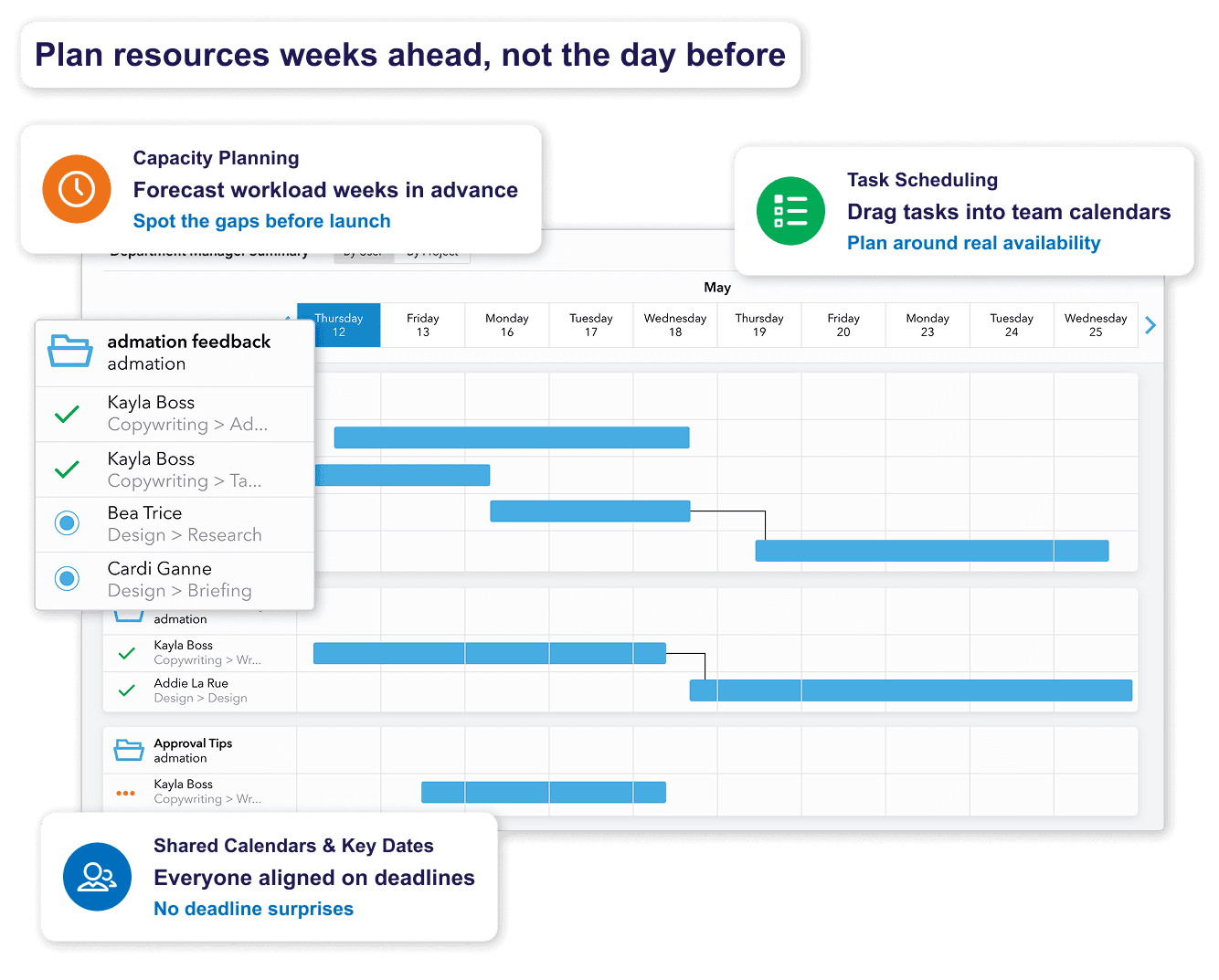
Reactive resourcing is expensive and stressful. Simple Admation's capacity planning tools give marketing teams the visibility to make resource decisions weeks ahead, not the day before launch.
• Capacity Planning: Forecast future workload requirements and identify gaps weeks in advance — not the day before launch.
• Task Scheduling: Plan work by viewing resource availability and dragging tasks into team calendars. Project resource templates apply an expected effort and required skills by project type, so scheduling starts from an estimate rather than a guess.
• Skill-Based Assignment: Match tasks to team members with the right capabilities and available capacity.
• Shared Calendars & Key Dates: Team-wide calendars keep marketing efforts aligned — track key dates across projects so no deadline surprises anyone.
See campaign planning and project management: Marketing Project Management Software
Time Tracking and Productivity Reporting
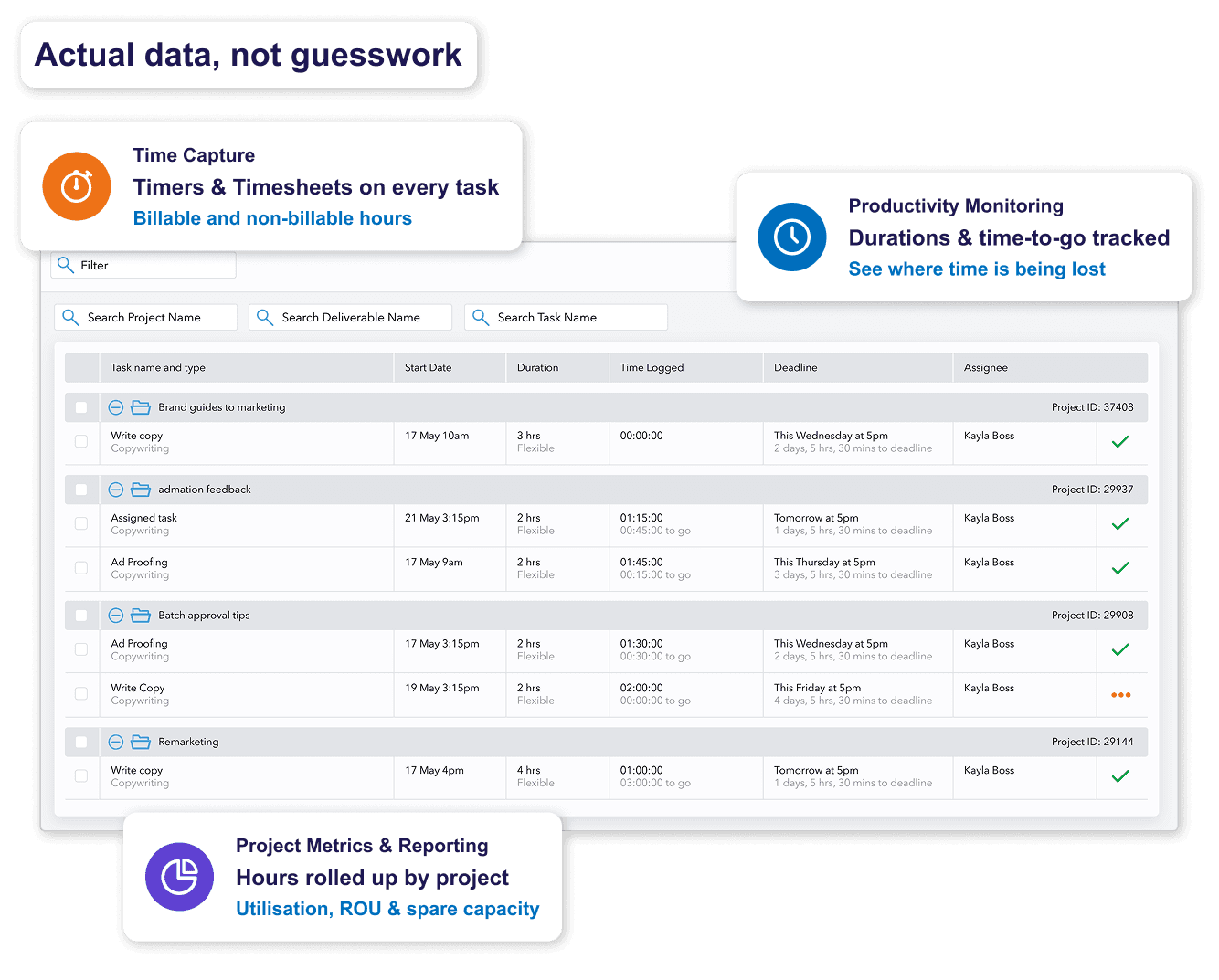
Without time data, resource planning is guesswork. Simple Admation captures actual time spent against projects, tasks, and campaigns — giving managers the data to plan future work accurately.
• Time Capture: Built-in timers and online timesheets track time spent on every project and task, distinguishing billable from non-billable hours.
• Productivity Monitoring: Understand task durations and efficiency to plan future projects more accurately and identify where time is being lost.
• Project Metrics: View total available hours across projects and departments and compare performance over time.
• Data & Reporting: Generate reports on resource utilisation, effort variance, and under-utilised capacity to inform future campaign planning.
Marketing Resource Management Features
Department Dashboard
Real-time view of workload across all team members.

Capacity Notifications
Alerts when an individual or department is approaching capacity.

Visual Workload Charts
Gantt and workload visualisations for live utilisation view.

Capacity Planning
Forecast future workload. Plan resources ahead of campaigns.

Task Scheduling
Assign tasks against real availability. Drag into calendars.

Skill-Based Assignment
Match tasks to the right skills and availability.

Shared Calendars
Team-wide calendars for campaign alignment.

Time Capture & Timesheets
Built-in timers and online timesheets for every task.

Billable vs Non-Billable Hours
Separate tracking for accurate cost and billing reporting.

Productivity Monitoring
Understand task efficiency and team performance.

Project Metrics
Total available hours, utilisation rates, trend analysis.

Data & Reporting
Utilisation, effort variance, and capacity reports for planning decisions.

Kanban Boards
Visual task management for teams that prefer board views.

Project List Views
List-based view of all tasks across projects.

Freelance Resource Management
Manage freelancers as resources alongside your internal team.

Frequently Asked Questions
What is marketing resource management (MRM) software?
Marketing resource management (MRM) software helps marketing teams plan, allocate, and track the people, time, and effort behind their campaigns. It gives marketing managers real-time visibility into team capacity and workload, enables proactive scheduling before campaigns kick off, captures time data against projects and tasks, and generates reports on utilisation and performance. When connected to live project data — as in Simple Admation — resource views update automatically as campaigns evolve, so planning stays accurate without manual effort.
Read the complete guide: Managing Marketing Resources with MRM Software.
Who uses MRM software?
MRM software is used across marketing departments of all sizes, but is most valuable for teams running multiple campaigns simultaneously. Primary users include marketing operations managers overseeing resource allocation and capacity planning, traffic managers and project managers assigning work across concurrent projects, and marketing leaders and CMOs needing visibility into team utilisation and delivery performance.
It is particularly essential for in-house teams at large organisations in banking, insurance, retail, and health, where high campaign volume and compliance requirements make structured resource management a necessity. See MRM for banking and finance teams and MRM for advertising and creative agencies.
What are the main benefits of using MRM software?
The most significant benefits of MRM software for marketing teams are real-time capacity visibility so managers know who is available before committing to a campaign, balanced workloads distributed on the basis of actual availability rather than assumption, faster campaign delivery through automated workflows and structured approvals, visibility of planned versus actual effort so estimates improve over time, stronger compliance through approval workflows and audit trails, and clear reporting that connects team capacity to campaign output for leadership.
See the full Admation MRM feature set.
How is MRM software different from project management software?
Project management software focuses on planning and tracking individual campaigns — tasks, timelines, milestones, and delivery. MRM software adds a resource management layer on top: it provides visibility into team capacity across all projects simultaneously, tracks how time and effort are being used, and helps managers make allocation decisions based on real availability rather than assumption.
The practical difference is scope. A project manager uses project management tools to answer ‘is this campaign on track?’ MRM helps marketing operations leaders answer ‘do we have the resources to run all of these campaigns at once, and are we using them efficiently?’ Simple Admation brings both into the same project record, so resourcing decisions are made with the briefing and approval history visible alongside them — see Admation’s marketing project management capabilities.
What is the difference between MRM and digital asset management (DAM)?
These are related but distinct disciplines. Digital asset management (DAM) software manages the storage, organisation, and distribution of marketing content — images, videos, brand guidelines, and approved files. It answers the question: where are our assets, and are teams using the right versions?
Marketing resource management (MRM) manages the people, time, and effort needed to create those assets. It answers the question: do we have the capacity to produce this campaign, and is the work taking as long as we planned? A useful way to think about it: DAM manages what you create; MRM manages how you create it. Many teams use both. Simple Asset Manager is a standalone DAM product that works alongside Simple Admation, giving teams a central approved-asset library connected to the projects that produce and use them – see Admation’s digital asset management.
Can Admation manage freelance and external resource capacity?
Yes, and it’s worth understanding the two different cases. A freelancer working as part of your team can be set up as a resource — or as their own department — with a login, allocated tasks, and time tracked the same way as permanent staff. They appear in the department dashboard alongside internal team members, giving traffic managers a complete picture of the capacity actually producing work.
External reviewers and approvers are handled differently. Sending an asset to a client-side approver, legal reviewer or brand stakeholder requires no licence and consumes no seat — they participate in the approval process and appear in the audit trail without being set up as resources. Simple Admation manages your own team’s capacity; an agency you work with runs its own resourcing in its own system.
See exactly who has capacity. Plan ahead.
Simple Admation's resource management gives marketing teams real-time visibility — connected to live project and campaign data.
Book a DemoRelated Solutions
Marketing Project Management
Plan campaigns, manage tasks, and track delivery end to end. Learn more about Project Management

Marketing Approval Workflow
Automate approval routing from brief to final sign-off. Learn more about Approval Workflow

Creative Briefing Software
Structured brief capture before projects begin. Learn more about Creative Briefing

Simple Admation
The complete Admation platform — all modules and capabilities. Learn more about Admation