
Digital Asset Management Software for Marketing Teams
Simple Asset Manager gives marketing and creative teams one place to store, find, and distribute every brand asset — from campaign imagery and video to brand guidelines and approved templates. AI-powered search. Rights management built in. Approval workflows connected. And unlike standalone DAM tools, it sits inside a complete marketing workflow — so assets move seamlessly from creation to publication without switching systems.

Find Any Asset in Seconds
AI-powered search automatically tags every asset with relevant metadata — so your team finds the right file by keyword, colour, file type, or campaign. No more trawling shared drives or chasing someone for the link.
One Source of Truth for All Brand Assets
All creative assets, approved templates, and brand guidelines in one secure central repository. Everyone works from the same library — so outdated logos and off-brand imagery stop making it into production.
Control Who Can Access, Use, and Share Assets
Role-based permissions and usage rights controls mean only authorised people can download, share, or modify sensitive assets. Copyright expiry alerts prevent accidental misuse of licensed content before it becomes a legal problem.
DAM Inside Your Marketing Workflow
Unlike standalone asset libraries, Simple Asset Manager connects directly to approval workflows, creative briefing, and project management. Approved assets flow into production and archive automatically — no manual file transfers between systems.
Our Customers






Find and Organise Every Asset, at Any Scale
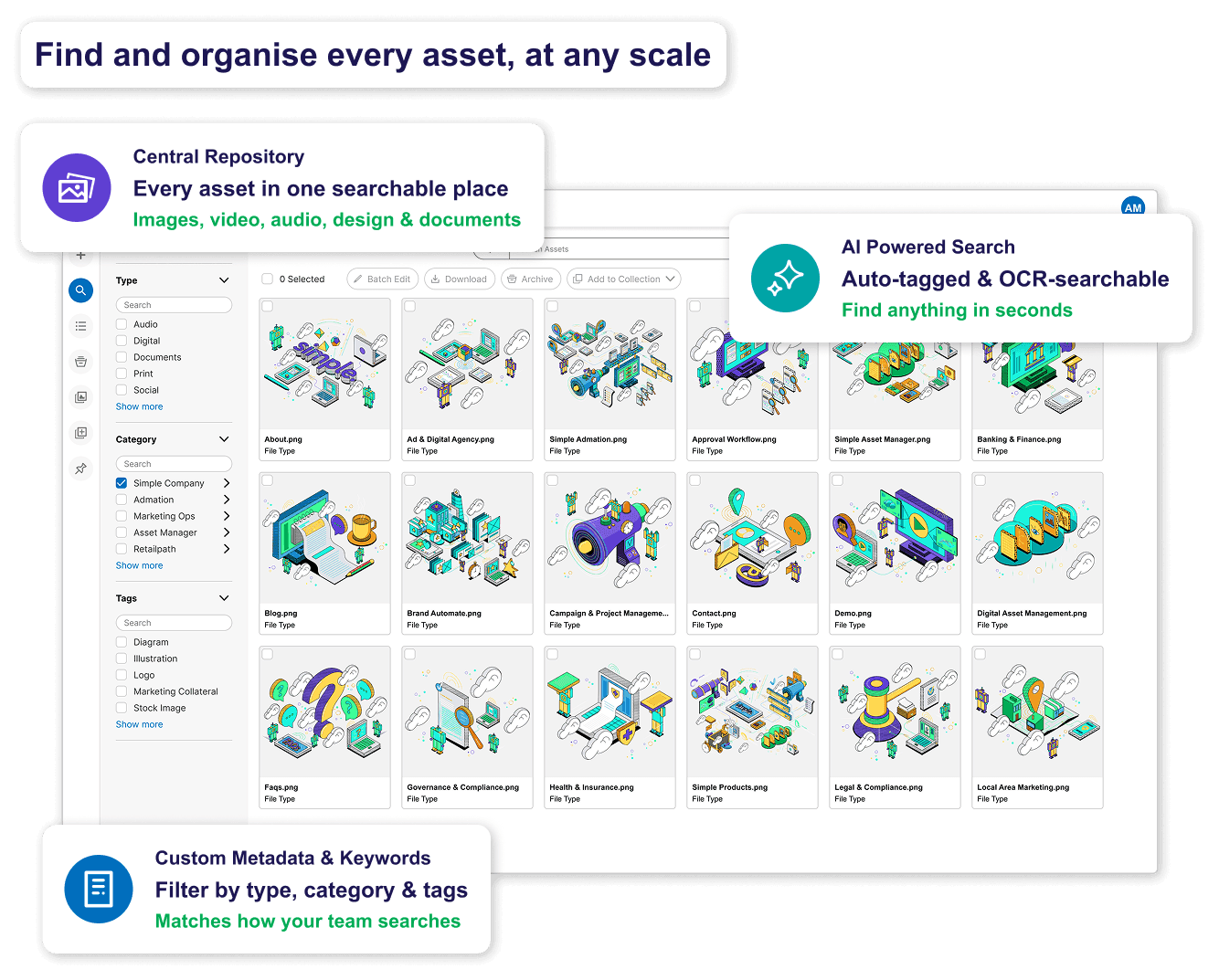
Managing a growing library of brand assets is a constant battle without the right structure. Simple Asset Manager centralises everything — images, video, audio, documents, and design files — in one searchable repository, with the AI-powered tools to find exactly what you need in seconds.
• Central Repository: Store every brand asset — images, video, audio, design files, and documents — in one secure location. The single source of truth that eliminates the shared drive scramble.
• AI-Powered Search: AI automatically assigns metadata tags to every asset based on visual content, making assets searchable without manual tagging. OCR makes text inside images and PDFs searchable too.
• Custom Metadata & Keywords: Supplement AI tagging with custom fields, campaign tags, and taxonomy structures that match how your team actually searches — by brand, region, product line, or campaign.
• Multiple File Formats: Images, video, audio, PDFs, design files, and marketing collateral all managed in the one platform. Social media assets, brand guidelines, and product imagery alongside each other.
Share and Distribute Assets Securely — Without the Email Chain
Sending large files by email creates version control problems, confidentiality risks, and inbox chaos. Simple Asset Manager gives internal teams and external partners direct, controlled access to the assets they need — without file transfer tools or inbox threads.
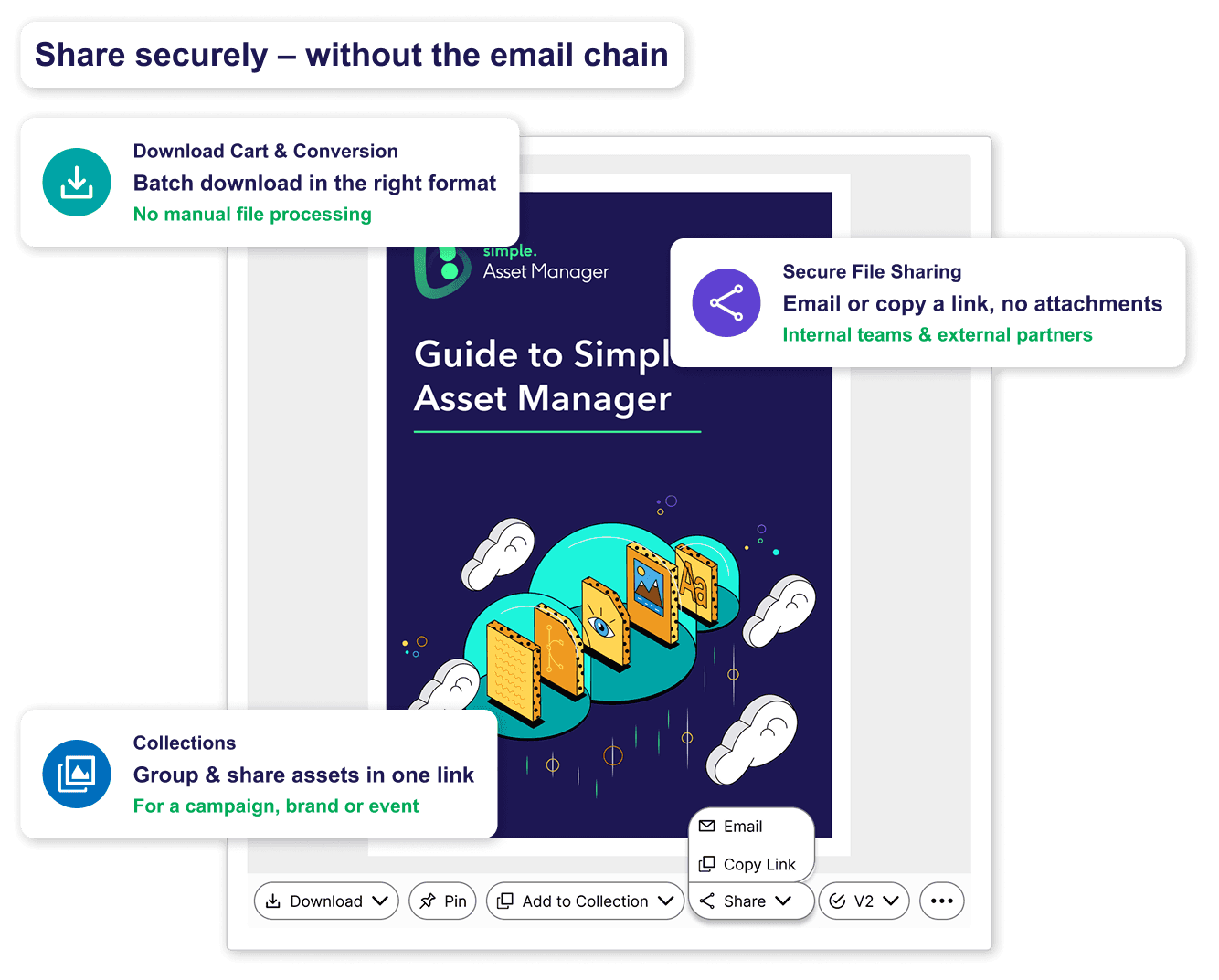
• Secure File Sharing: Share assets directly from the DAM to internal and external stakeholders. No email attachments, no file-sharing platform logins, no risk of the wrong version landing in the wrong inbox.
• External Access: Grant agencies, suppliers, and third-party partners access to specific asset collections without giving them access to your entire library. Controlled sharing with audit trail.
• Collections: Group related assets into curated collections for a campaign, a brand, or an event — then share the entire collection with a single link.
• Download Cart: Users select and batch-download multiple assets in their preferred format. File conversion ensures the right output format for each channel without manual processing.
Review, Approve, and Version Control Every Asset
Brand assets need the same governance as campaign materials. Simple Asset Manager connects asset management to approval workflows — so every asset is reviewed, signed off, and version-tracked before it reaches production or gets distributed externally.
• Approval Workflows: Route assets through structured approval pathways with the right reviewers at each stage — brand, legal, compliance, or management. Templated pathways ensure nothing skips a required sign-off.
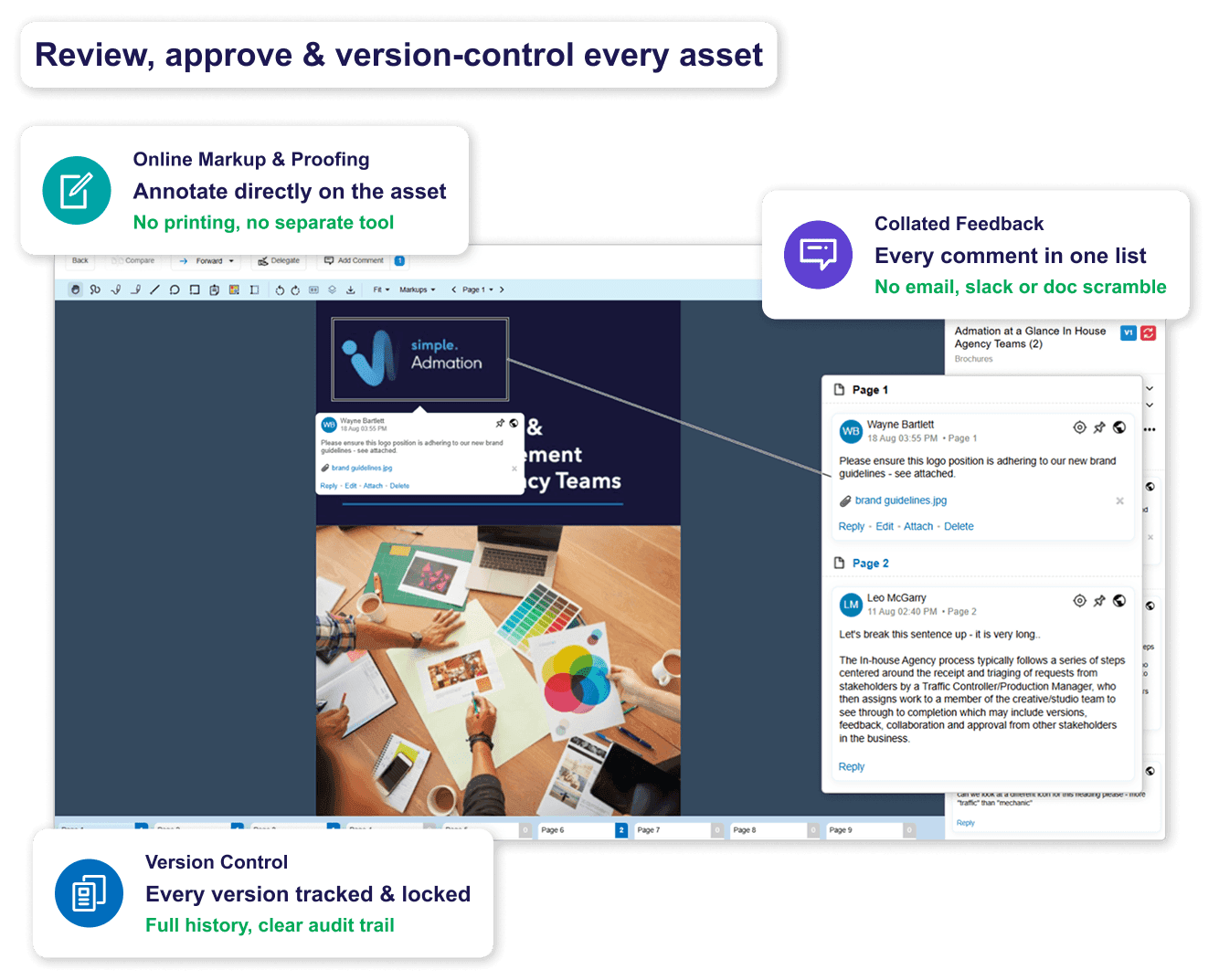
• Online Markup & Proofing: Reviewers annotate and provide feedback directly on the asset in the platform — no printing, no separate proofing tool, no feedback arriving across three different channels.
• Version Control: Every asset version is tracked automatically. Previous versions are locked once a new one is uploaded. Full version history accessible throughout — with a clear audit trail of who reviewed, who approved, and when.
• Collated Feedback: All reviewer comments are consolidated in one place, eliminating the back-and-forth of consolidating feedback from email, Slack, and shared documents before briefing the creative team.
Manage Rights, Permissions, and Compliance with Confidence
Misused licensed content and unauthorised asset distribution are expensive and avoidable. Simple Asset Manager gives you the tools to control exactly how assets are accessed, used, and shared — with the audit trail to demonstrate compliance when it matters.
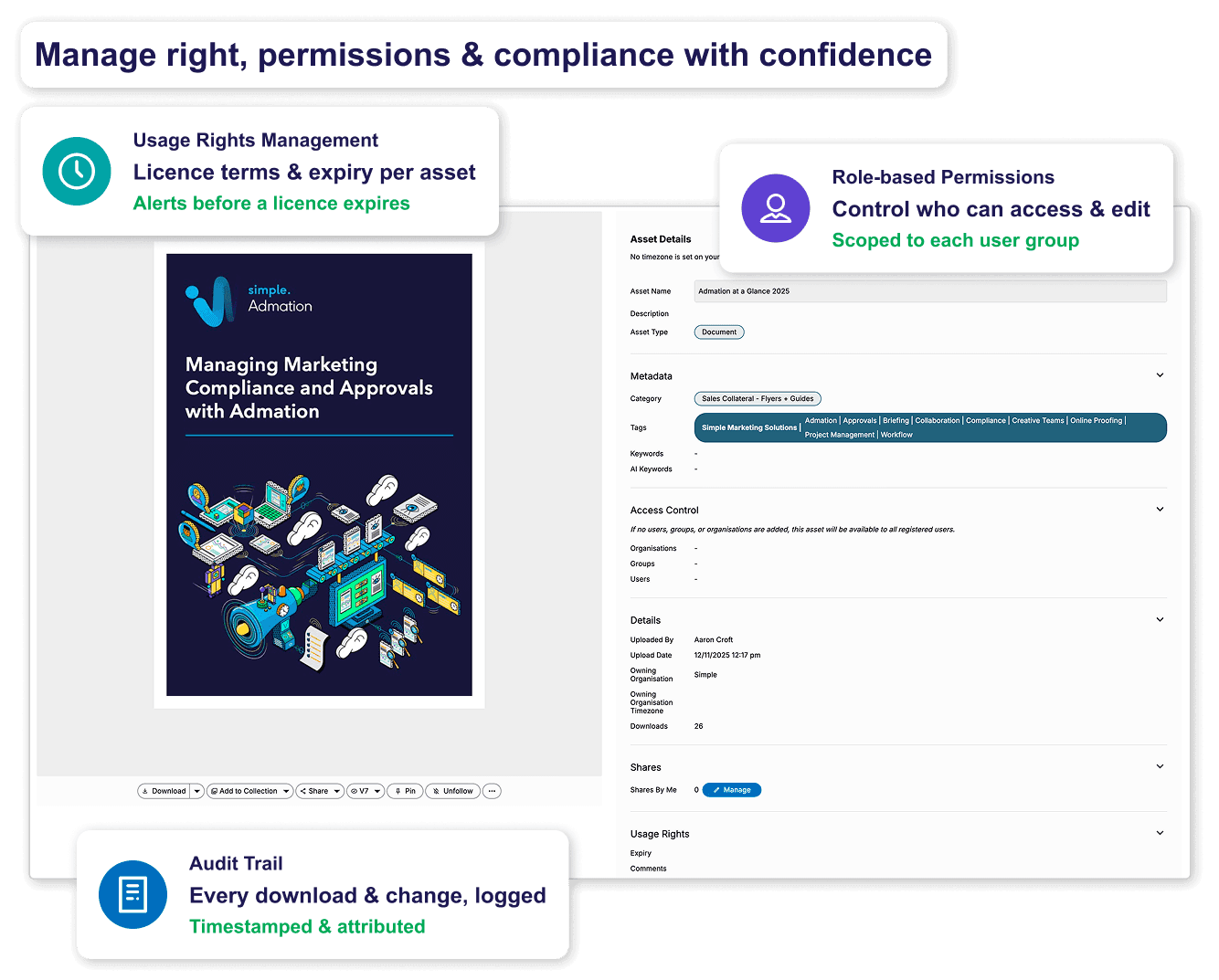
• Usage Rights Management: Attach licence terms, usage restrictions, and expiry dates directly to each asset. Automated alerts notify your team before licences expire — preventing accidental misuse of licensed imagery or content.
• Role-Based Permissions: Set different access levels for different user groups. Brand managers, agency partners, and regional teams each see only the assets and functions relevant to their role.
• Audit Trail: Every asset download, share, approval decision, and version change is logged with a timestamp and user attribution. A complete record of how every asset has been accessed and used.
• Repurpose and Redistribute: Approved final assets are ready to re-run or repurpose in a flash. Localise, translate, or reformat for a new market directly from the central library — with the approval workflow ready to route the revised version.
Digital Asset Management Features
AI Search
AI-powered tagging and search — find any asset instantly.

Central Repository
One secure library for all digital assets.

Metadata & Tagging
Custom keywords, AI tags, and OCR text search.

Multiple File Formats
Images, video, audio, PDFs, and design files.

Secure File Sharing
Direct sharing to internal and external stakeholders.

External Access
Controlled partner and agency access without full credentials.

Collections
Group and share curated sets of related assets.

Download Cart
Batch downloads with format conversion.

Approval Workflows
Structured sign-off pathways for every asset.

Markup & Annotation
Online proofing directly on assets.

Version Control
Every upload tracked. History always accessible.

Audit Trail
Time-stamped record of every download, share, and approval.

Usage Rights
Licence terms and expiry alerts on every asset.

Permissions
Role-based access for teams, agencies, and regions.

File Conversion
Output assets in the right format for every channel.

Collated Feedback
All reviewer comments consolidated in one place.

Frequently Asked Questions
What is digital asset management software?
Digital asset management (DAM) software is a centralised platform for storing, organising, searching, and distributing digital files — including images, video, audio, documents, and brand assets. Unlike basic cloud storage, DAM software adds AI-powered search, metadata management, version control, usage rights tracking, and approval workflows — specifically built for marketing and creative teams managing large volumes of branded content.
How does Simple Asset Manager differ from cloud storage like Dropbox or Google Drive?
Cloud storage tools like Dropbox and Google Drive handle basic file storage and sharing. Simple Asset Manager is purpose-built for brand asset management — with AI-powered search and tagging, usage rights and licence management, approval workflows, version control, role-based permissions, and a complete audit trail. It’s designed for marketing teams managing hundreds or thousands of assets across campaigns, channels, and external partners.
How does DAM software improve brand consistency?
DAM software enforces brand consistency by making a single, approved library the only source teams work from. When every user accesses assets from the same central repository — with outdated versions locked and off-brand files restricted — inconsistent logos, wrong-version imagery, and unapproved creative stop reaching production. Permissions mean regional teams and external agencies only access what’s approved for their use.
What is the difference between DAM and PIM software?
A DAM (Digital Asset Management) system manages digital media files — images, video, audio, brand documents and creative assets. A PIM (Product Information Management) system manages structured product data — descriptions, attributes, specifications and pricing. DAM is about what you store and show; PIM is about what you say about a product. In retail, both are often needed together: the PIM holds the product record and the DAM holds associated media. For a detailed comparison, see the PIM vs DAM guide.
Who uses Simple Asset Manager?
Simple Asset Manager is used by marketing and brand managers, creative teams, in-house agencies, sales teams, and franchisors. It suits any organisation producing significant volumes of digital content — particularly in retail, financial services, healthcare, and hospitality — where brand consistency, compliance, and controlled asset distribution are business priorities. Vicinity Centres, Choice Hotels and Chiesi are among current customers.
Does Simple Asset Manager integrate with other marketing tools?
Yes. Simple Asset Manager integrates natively with Admation’s approval workflow, project management, and marketing compliance platform. This means assets can be briefed, produced, reviewed, approved, and archived in one connected workflow — without moving between systems. Integrations with creative tools and content management systems support seamless distribution from the DAM to where assets are published.

Stop losing time to asset chaos. Start managing brand assets properly.
See how Simple Asset Manager gives your team a single, searchable home for every brand asset — with the access controls, approval workflows, and audit trail to keep things compliant and on brand.
Book a DemoRelated Solutions
Online Proofing Software
Review, annotate, and approve creative assets with markup tools and version comparison built in. Learn more about Online Proofing

Marketing Approval Workflow
Manage the full brief-to-sign-off process for campaigns with structured, compliant approval routing. Learn more about Approval Workflow

Marketing Compliance Software
Audit trails, approval checklists, and tiered sign-off for regulated marketing teams. Learn more about Marketing Compliance

Product Information Management
Centralise and distribute product data and assets across retail and e-commerce channels. Learn more about PIM